Man-in-the-Middle Attacks: How Hackers Intercept Your Email in Transit
Last updated: November 13, 2026
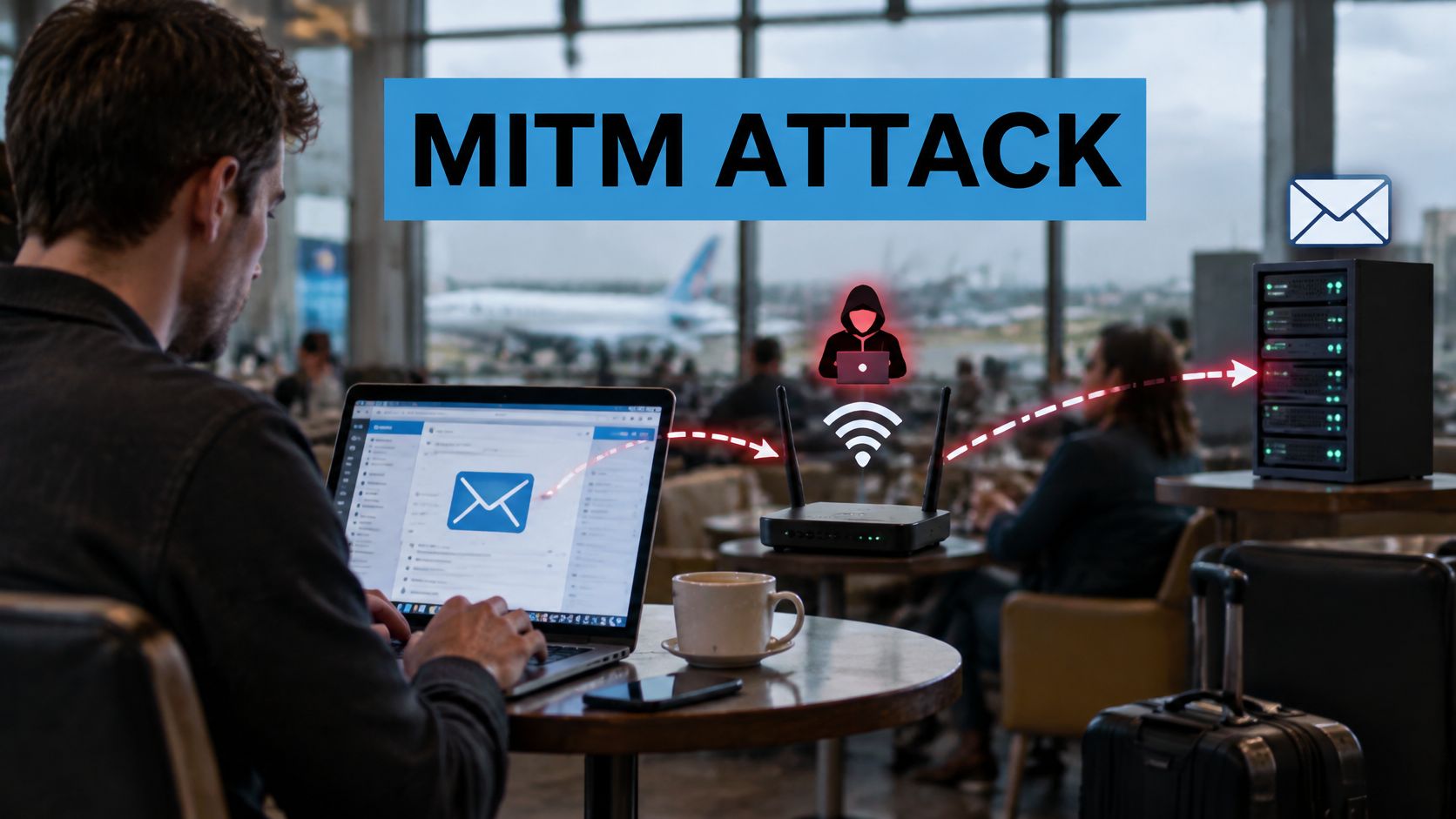
You log in to webmail from an airport gate, a hotel lobby, a train, a shared office. The page looks normal, the padlock is there, and your mail loads on time.
A man-in-the-middle attack puts someone in the path of that sign-in, able to read, relay or alter what passes between you and the service. Recent adversary-in-the-middle campaigns have shown that ordinary multi-factor authentication can still be bypassed when the attacker steals a live session or asks for the code at the right moment. The padlock proves the connection is encrypted; it does not prove the other end is the legitimate site. That gap is where passwords, session cookies and one-time codes are exposed.
What Is a Man-in-the-Middle Attack
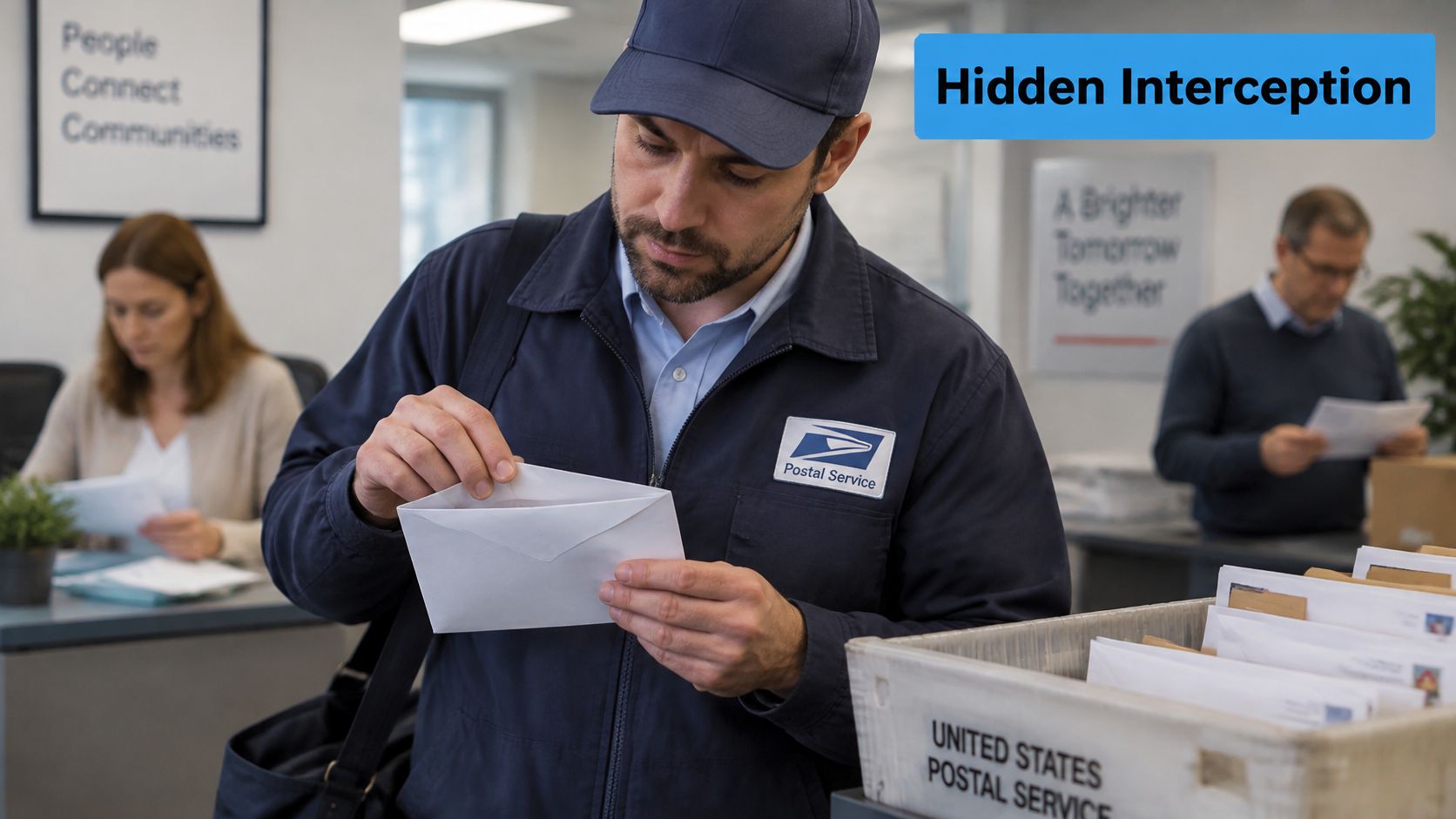
A courier picks up your letter, opens it at the depot, reads the invoice inside, changes one digit in the account number, seals it again and delivers it on time. You never find out. Neither does the supplier, who now pays the wrong bank.
That is the shape of a man-in-the-middle attack, minus the paper. Canada's Communications Security Establishment defines it as an attack in which a threat actor positions themselves between a claimant and a verifier. The attacker intercepts and alters authentication messages while impersonating the verifier to the claimant and the claimant to the verifier, as the CSE authentication guidance sets out.
Two conversations that look like one
You are the claimant. Your mail server is the verifier. In a normal sign-in, you talk to the server and the server answers you. Under attack, the intruder runs one conversation with you while pretending to be the server, and a second conversation with the server while pretending to be you. Both of you complete what feels like a routine login.
Because the attacker sits in the path rather than kicking a door down, nothing in your mailbox breaks immediately. Mail still syncs. New messages still arrive. The connection isn't dropped, which is why this works so well. An attack that visibly broke things would be noticed in seconds.
What the person in the middle can do
Read. Anything sent without encryption is legible, including passwords, reset links and attachments.
Change. The attacker can edit a message in flight, such as swapping an account number on an invoice, and the recipient sees an ordinary email.
Replay. Captured authentication messages can be reused later to sign in as you, long after you've closed the laptop.
Email is the target that keeps on giving because of what it carries: password resets for other services, invoices with bank details, contracts, and account recovery codes. One intercepted reset link can open far more than a mailbox.
Here is the part people miss. The attack depends on position in the network, not on breaking modern encryption. CSE describes one method in which the attacker replaces the verifier's public key with their own, so the claimant encrypts a password for the attacker and the attacker decrypts it.
The question to ask yourself: could anyone sitting between my device and this server see this message, or change it before it lands?
How MITM Attacks Target Email
One email touches at least five machines before it reaches an inbox. Your phone or laptop, the mail app or webmail page, your provider's server, the recipient's mail server, then the recipient's inbox. Each handoff is a place where someone positioned on the path can stand.
The settings names are worth knowing, because they tell you which hop is which. If you've ever opened an account setup screen you've seen IMAP (Internet Message Access Protocol) on port 993 for reading mail, SMTP (Simple Mail Transfer Protocol) submission on port 465 or 587 for sending, and HTTPS for webmail in a browser.
Four places where email is exposed
The local network. Open Wi-Fi in a café or a hotel sends your traffic through equipment you don't own and can't inspect.
The router or internet provider. An office router or a provider on the path can log and alter traffic if the connection isn't protected end to end.
The DNS lookup. Before your app can connect, it asks which address belongs to your mail domain. A tampered answer sends you to someone else's server.
The server-to-server hop. Mail travelling between two providers uses encryption only when both sides agree to it, so a downgrade is possible on that leg.
The weak point is usually the link you control least. You can update your own devices and choose a provider you trust. You have very little say over the network in a departure lounge.
Say a bookkeeper is travelling and joins a network named after the terminal. A certificate warning appears when she opens webmail, and she clicks past it to get her work done. The attacker running that network can now see everything, including a supplier’s invoice. He changes the account number and lets the email continue. The connection never fails. The invoice looks correct. The money goes to the wrong place, and the discovery happens days later when the supplier asks why they weren't paid.
One distinction keeps the rest of this article clear. Interception in transit is the message being read or altered while it moves. Stored mail on a server is a separate problem with its own controls, and a breach at the provider isn't the same event as a man in the middle attack on the way there. Fixing one doesn't automatically fix the other.
Types of MITM Attacks
Most explainers list a dozen attack names and leave you none the wiser, because the names describe the tool rather than the harm. For email, the shapes that matter are narrow enough to remember.
Start with the one you're most likely to meet. The Communications Security Establishment describes a wireless version involving a rogue access point. The malicious network imitates a valid wireless network and routes traffic through an intermediary device, which lets the attacker capture everything sent through it. Public or unsecured Wi-Fi is especially exposed, and captured information may include login credentials and credit-card numbers, according to CSE guidance on wireless network security. The connection keeps working, which is the whole trick.
Common MitM attack types that affect email
| Attack type | How it works | Where it usually happens | Main defence |
|---|---|---|---|
| Rogue access point (evil twin) | Imitates a trusted Wi-Fi name and routes your traffic through the attacker's device | Cafés, hotels, airports | Connect only to known networks and use encrypted connections |
| ARP spoofing | Sends fake local address messages so your traffic passes through the attacker's device | Shared office or hotel networks | Enable client isolation and use switches with ARP inspection |
| DNS spoofing or hijacking | Returns a fake address for a mail or login domain | Compromised routers or DNS settings | Use DNSSEC where supported and check the certificate name |
| SSL stripping | Downgrades HTTPS to plain HTTP so credentials travel unencrypted | Open networks where users ignore warnings | Use HSTS so browsers refuse plain HTTP |
| Forged or untrusted certificate | Presents a fake certificate for a mail site | Any network the attacker controls | Never accept certificate warnings for a mail site |
| Adversary-in-the-middle phishing proxy | Relays a real login page in real time and captures the password and MFA code | Any location, reached through a link in a message | Use phishing-resistant MFA such as security keys or passkeys |
Why nobody notices until later
Every attack in that table protects itself with normalcy. A stripped connection often shows a page that renders correctly with a smaller padlock, or no padlock at all on a site you visit rarely. A spoofed DNS answer lands you on a login page that looks like the one you expected, because it was copied from it. A proxy page sits on a lookalike domain and passes your password through to the legitimate service, so the login succeeds.
Rule-of-thumb names also shift between vendors, incident reports and security frameworks. Some writers call the same technique session hijacking, others call it cookie theft or token replay. Treat these categories as a practical guide for spotting the risk in front of you, not as a formal taxonomy you need to memorize.
How Attackers Steal Email Credentials
Credential theft rarely happens in one move. It's a chain, and each stage makes the next one easier. Once you see the chain, the defences make sense, because you can break it at any link.
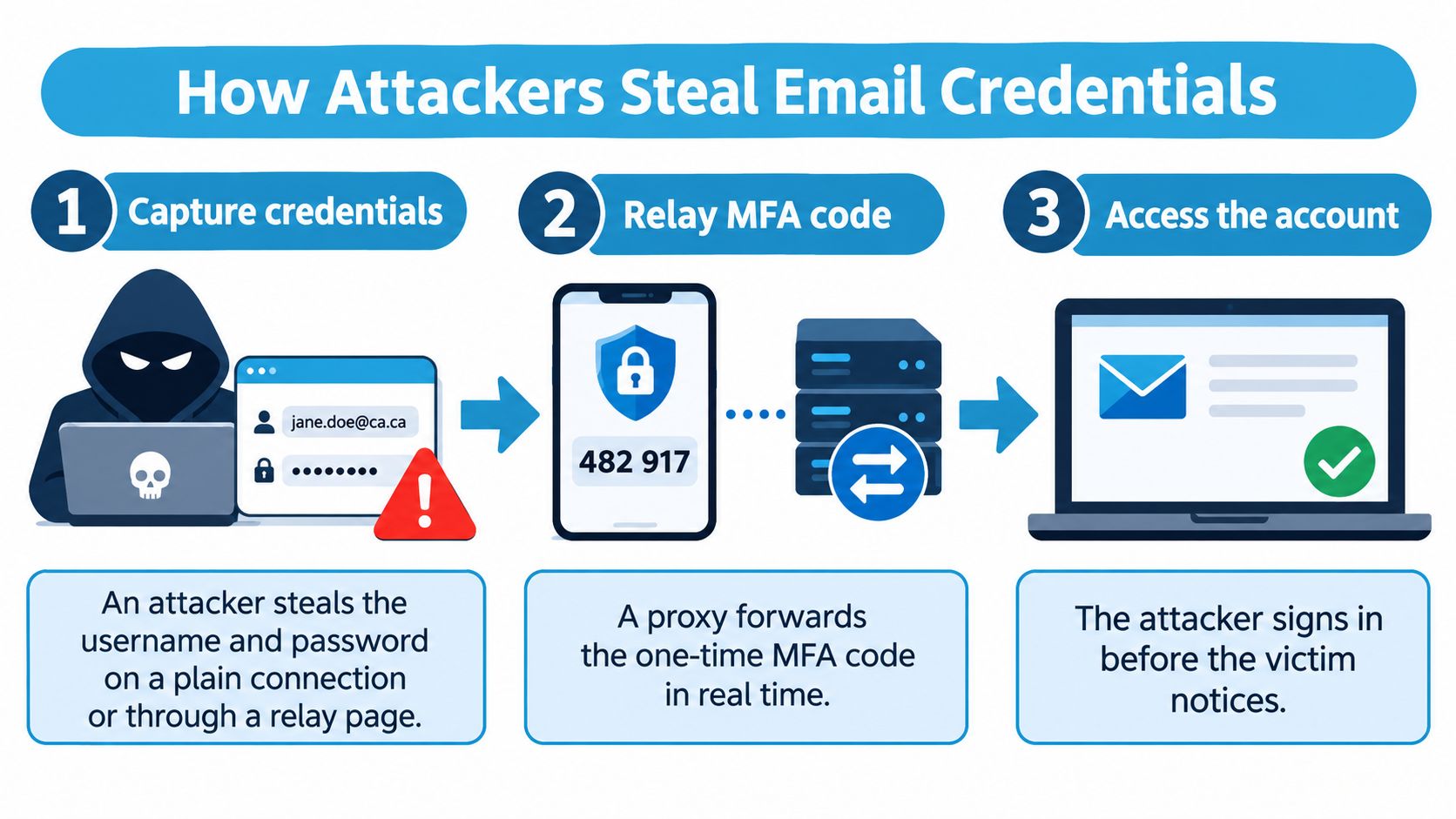
Capture the username and password. Either on a plain connection where the credentials travel readable, or through a relay page that looks like your provider's login.
Forward the one-time code in real time. The proxy passes your code to the legitimate service as you type it, so the service sees a valid login and you see a success screen.
Take the session cookie or token. With a live session token the attacker doesn't need your password at all. They're already inside.
Add forwarding rules and hidden filters. Mail is copied to an external address, and security alerts are moved or deleted so you don't see them.
Reset other passwords through the mailbox. Password resets for banking, cloud storage and social accounts all arrive by email. The mailbox is the master key.
Why a verified connection isn't enough
Server-authenticated TLS is only weakly resistant when a person submits a password, as the Cyber Centre's guidance on DNS tampering explains. An attacker who controls DNS, runs a rogue access point or operates a fraudulent endpoint can relay credentials and session data even though the site had a valid certificate. The same guidance warns that DNS tampering can enable a person-in-the-middle attack that decrypts TLS connections to the intended domain.
MFA helps, but not automatically. The Cyber Centre analyzed more than 100 campaigns targeting Microsoft Entra ID accounts between 2023 and early 2025, and found ordinary MFA could still leave cloud accounts exposed when users approved a fraudulent login or submitted codes through a proxy, according to Cyber Centre guidance on defending against adversary-in-the-middle threats. What closes the relay is phishing-resistant MFA, which cryptographically binds the login to the genuine site rather than approving whatever prompt appears.
Precise prevalence is difficult to pin down. Providers see the campaigns that hit their own tenants, researchers see the ones they can document, and nobody has a complete count of the ones that succeeded unnoticed.
Signs Your Email May Be Intercepted
You can't see a man in the middle attack directly, but you can see the traces it leaves. Check these in the moment, on the device you're using.
A certificate warning or a missing padlock on your mail site, or a certificate issued to a name that isn't your provider's domain.
A login page on the wrong domain. Small spelling differences count. Your provider's address is the one you already know.
Repeated password prompts on a page that usually keeps you signed in, especially after you already logged in once.
An MFA prompt or code request you didn't start. That's someone else trying to use your credentials right now.
Sign-in alerts from unfamiliar locations, or being signed out of every device at once.
Forwarding rules or filters you didn't create, and sent messages you don't recognize.
What each sign probably means
A certificate warning means the certificate your browser received doesn't match what it expected. Sometimes the cause is an expired certificate. Sometimes it's an attacker on the network presenting a fake one. From your side, those two cases look identical, which is why the right response is to stop and verify rather than click through.
A sign-in alert from an unfamiliar city means someone authenticated with your credentials, so confirm it was you before dismissing it. Being signed out of every device can mean someone changed your password or revoked your sessions, so check which sessions are active in your account settings.
The pattern matters more than any single sign. A warning plus a fresh MFA prompt plus a new forwarding rule is not a coincidence. Neither is a login page that appeared after you clicked a link in an email.
If you suspect interception, change your password from a trusted network, revoke active sessions in your account settings, and check the message headers on anything that looks off. Our guide to how to read an email header and spot a fake sender shows what to look for in the routing lines. The protection checklist at the end of this article covers the longer-term steps.
If a warning appears on a network you don't control, stop. Don't enter a password to "see if it works". Verify from your phone on mobile data first.
Email Encryption as a Defence
Encryption buys you two things, and it's worth naming them separately. Confidentiality means outsiders can't read the content. Integrity means they can't change it without the change being detected. A man in the middle attack targets both, which is why the fix has layers.
The transport layer
TLS (Transport Layer Security) protects the connection between your device and your provider. Anyone tapping that link sees ciphertext instead of your password. The current standard is implicit TLS, where the connection is encrypted from the first byte, and RFC 8314 recommends ports 993 and 465 rather than optional upgrades from a plain connection.
That "optional upgrade" is the soft spot. Older setups start in plain text and ask to switch using STARTTLS, and an attacker on the path can remove the offer. Your client never knows it was available. Server-to-server delivery has the same weakness, which is why MTA-STS (RFC 8461) exists: a domain publishes a policy that requires encrypted delivery, and sending servers check it first.
End-to-end encryption and its trade-offs
OpenPGP (RFC 9580) and S/MIME (RFC 8551) encrypt the message body and attachments so that even the mail servers in the middle can't read them. The cost is real. You manage keys, your recipients need compatible tools, and losing a private key means losing access to old mail. Metadata stays visible too: sender, recipient and often the subject line.
Email encryption layers and their gaps
| Encryption layer | What it protects | Gaps to know about |
|---|---|---|
| Transport encryption (TLS) | The connection between your device and your mail provider | Certificate warnings can be clicked through, and STARTTLS can be stripped when a client doesn't require it |
| Domain-level enforcement (MTA-STS) | The handoff between mail servers, when a domain publishes a policy | Only works if the receiving domain publishes and maintains the policy |
| End-to-end encryption (OpenPGP or S/MIME) | The message body and attachments, all the way to the recipient | Key management burden, recipient tooling, and no protection for routing data |
| Metadata in all layers | Not encrypted by the layers above | Sender, recipient and often the subject line stay visible |
The honest summary: encryption stops a passive eavesdropper cold, and it makes tampering detectable when it's configured properly. It does nothing about a forged login page, a relayed MFA code or a stolen session token. For those you need identity controls, which is where the next section starts. Our plain-language guide to SSL and how email encryption shields your inbox goes deeper on the transport side.
How to Protect Yourself
You don't need a security team to close most of these gaps. You need a short, repeatable routine, run once properly and then checked monthly.
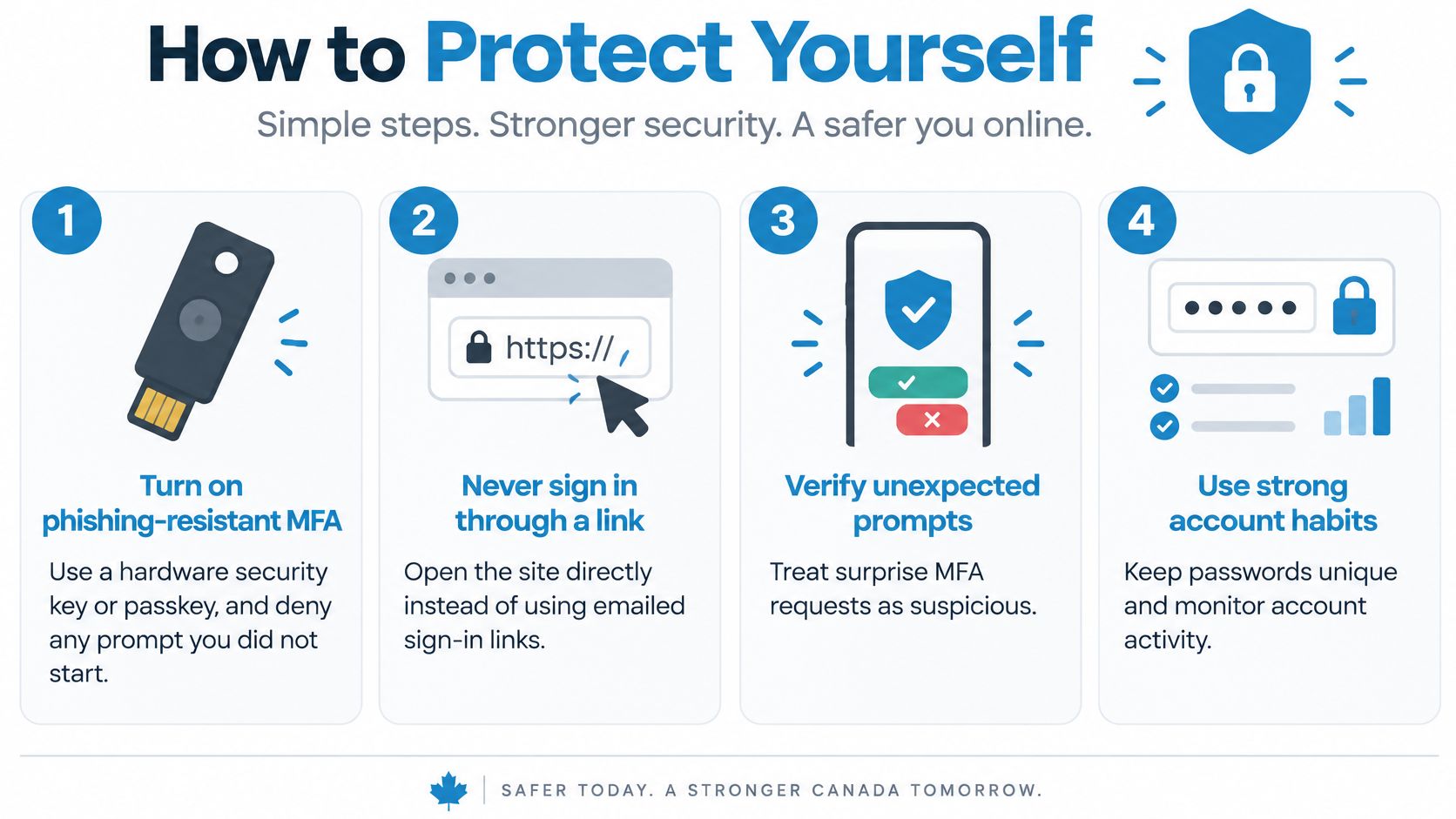
Turn on phishing-resistant MFA. Use a hardware security key or a device-bound passkey. These bind the login to the legitimate site, so a relay page gets nothing usable. Deny any prompt you didn't start.
Never sign in through a link in an email. Type the address yourself or open a saved bookmark. This single habit defeats most proxy pages, because you never land on the attacker's copy.
On public Wi-Fi, use mobile data or a VPN you trust. A VPN moves your trust to the VPN provider rather than removing it, so pick one you'd be comfortable with seeing your traffic.
Check the padlock and the domain name before typing a password. The padlock proves the connection is encrypted to some server. The domain name tells you which one.
Set your mail app to implicit TLS on ports 993 and 465. Require certificate validation and leave no option to bypass it. A client that lets you click through a warning will eventually meet someone who clicks.
Review forwarding rules and active sessions once a month. Revoke anything you don't recognize. Attackers rely on you never looking.
Confirm changed bank details by phone. Use a number you already have, not the one in the email. Invoice fraud depends on you trusting the message more than the relationship.
Report suspicious activity fast. Tell your provider or IT team the moment something feels wrong. Your provider can end active sessions and check for rule changes while the trail is still fresh.
These steps work on any email provider, and none of them require you to understand the underlying cryptography. In Canada, the Office of the Privacy Commissioner of Canada publishes the PIPEDA guidance that sets how personal information in your mail should be handled. Knowing the rules helps you ask better questions of whoever holds your data. For the account-level settings that matter most, our checklist on secure email server login best practices covers what to change first.
We built Typewire for people who'd rather their email wasn't readable by anyone sitting in the middle. We run our own mail infrastructure in Vancouver, encrypt mail in transit with TLS, and keep your messages under Canadian privacy law instead of selling attention against them. If that sounds like the setup you’ve been looking for, start your 7-day Typewire free trial.
The post Man-in-the-Middle Attacks: How Hackers Intercept Your Email in Transit appeared first on Typewire.
Man-in-the-Middle Attacks: How Hackers Intercept Your Email in Transit
Posted: 2026-11-20
Data Sovereignty in Canada: Why Where Your Email Is Stored Matters
Posted: 2026-11-17
What Is Email Spoofing? How Attackers Fake Your Sender Address
Posted: 2026-11-13
Should You Get a Custom Domain for Personal Use?
Posted: 2026-11-10
Who Writes Typewire’s Code? People.
Posted: 2026-11-07
Zero-Day Attacks Explained: What They Are and Why Your Email Is a Target
Posted: 2026-11-06
Dark Web Monitoring: How to Check If Your Email Was Exposed in a Data Breach
Posted: 2026-11-03
What Is Credential Stuffing and How Does It Threaten Your Email Account?
Posted: 2026-10-30
What Is a Data Breach? How Exposed Email Credentials Put You at Risk
Posted: 2026-10-27