Zero-Day Attacks Explained: What They Are and Why Your Email Is a Target
Last updated: November 6, 2026
A zero-day attack uses a software weakness the vendor doesn't yet know about, so no patch exists on the day attackers use it.
You might be checking invoices, approving a password reset, or opening your business mailbox when a security alert arrives. Your immediate question isn't how the attacker found the flaw. It's whether your messages are exposed and what you can do before a fix exists.
The useful answer starts with separating the hidden flaw from the method used to abuse it. That distinction helps you understand what your email provider can prevent, what it can detect, and what you still need to manage.
What Is a Zero-Day Attack?
A zero-day vulnerability is the hidden software weakness. The exploit is the code or method that takes advantage of it, while the attack is its actual use against a target.
The Government of Canada's Enterprise Cyber Security Strategy distinguishes a weakness unknown to the vendor from an exploit that targets it. That distinction matters because a flaw can exist without anyone having used it against an organization.
Think of a lock with a hidden defect that only a burglar knows about. The homeowner can check that the door is locked, but that doesn't repair the unknown defect. An alarm and locked interior doors may still limit what the burglar can do.
Zero-day terms at a glance
| Term | What it means | Simple example |
|---|---|---|
| Zero-day vulnerability | A software weakness the vendor doesn't know about, so no fix exists yet | An unknown, unpatched memory flaw in mail-server software |
| Zero-day exploit | Code or a method that takes advantage of that weakness | A script that triggers the flaw to run commands on the server |
| Zero-day attack | Real use of an exploit against a target | A crafted email that triggers the flaw when the server processes it |
| Patch | A vendor update that fixes a known flaw | A security update released after the flaw becomes public |
The relationships are easier to remember when you keep the flaw at the centre.
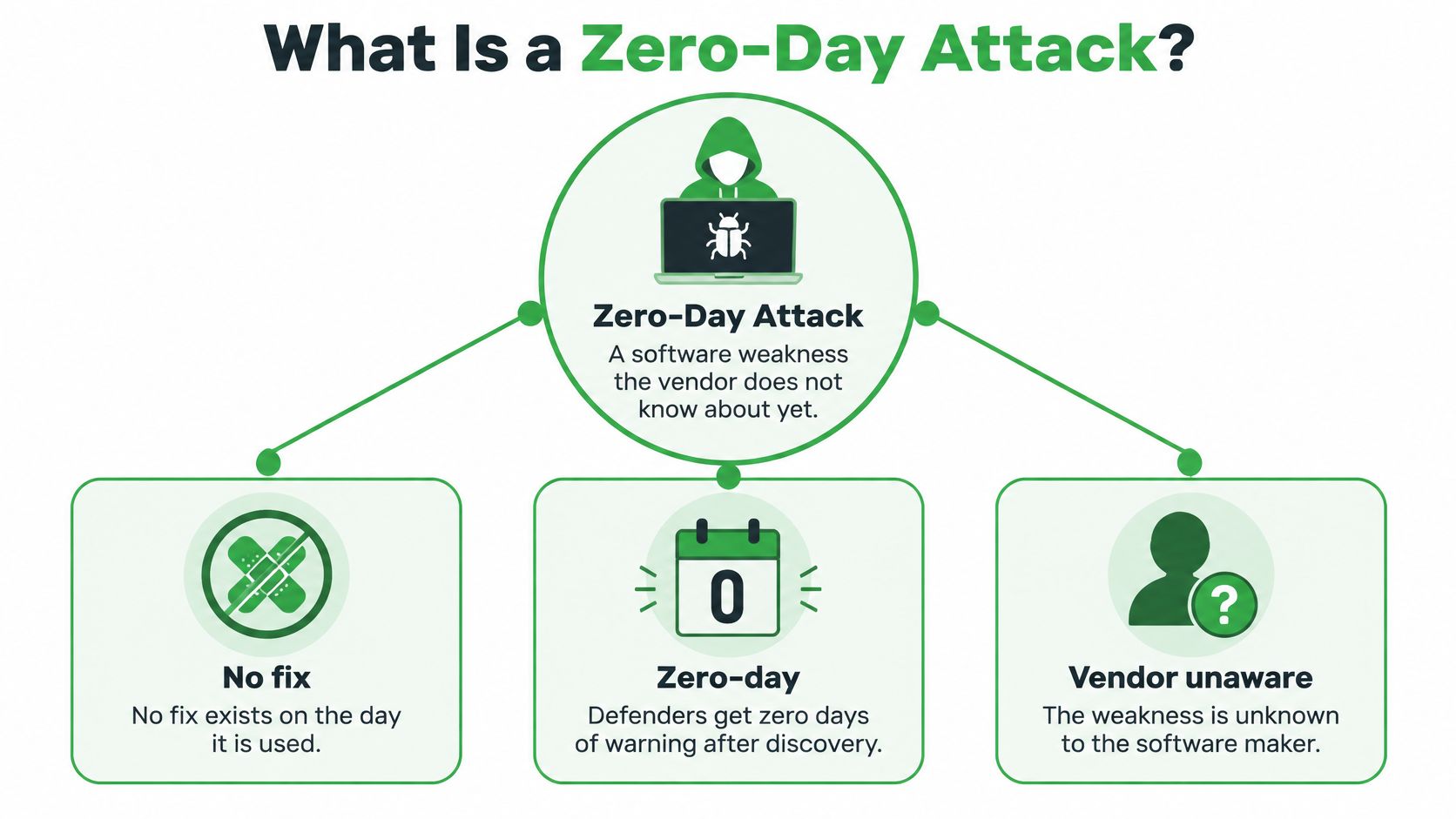
The name signals that defenders have no advance warning to prepare a fix for that specific weakness. It doesn't mean every security control becomes useless.
You may also see the phrase zero day patch. That usually means an update addressing a flaw discovered or exploited before a fix was available, not a special kind of update.
Practical rule: An unpatched bug isn't automatically a zero-day, and a newly disclosed flaw isn't proof that an attack occurred.
How Zero-Day Exploits Work
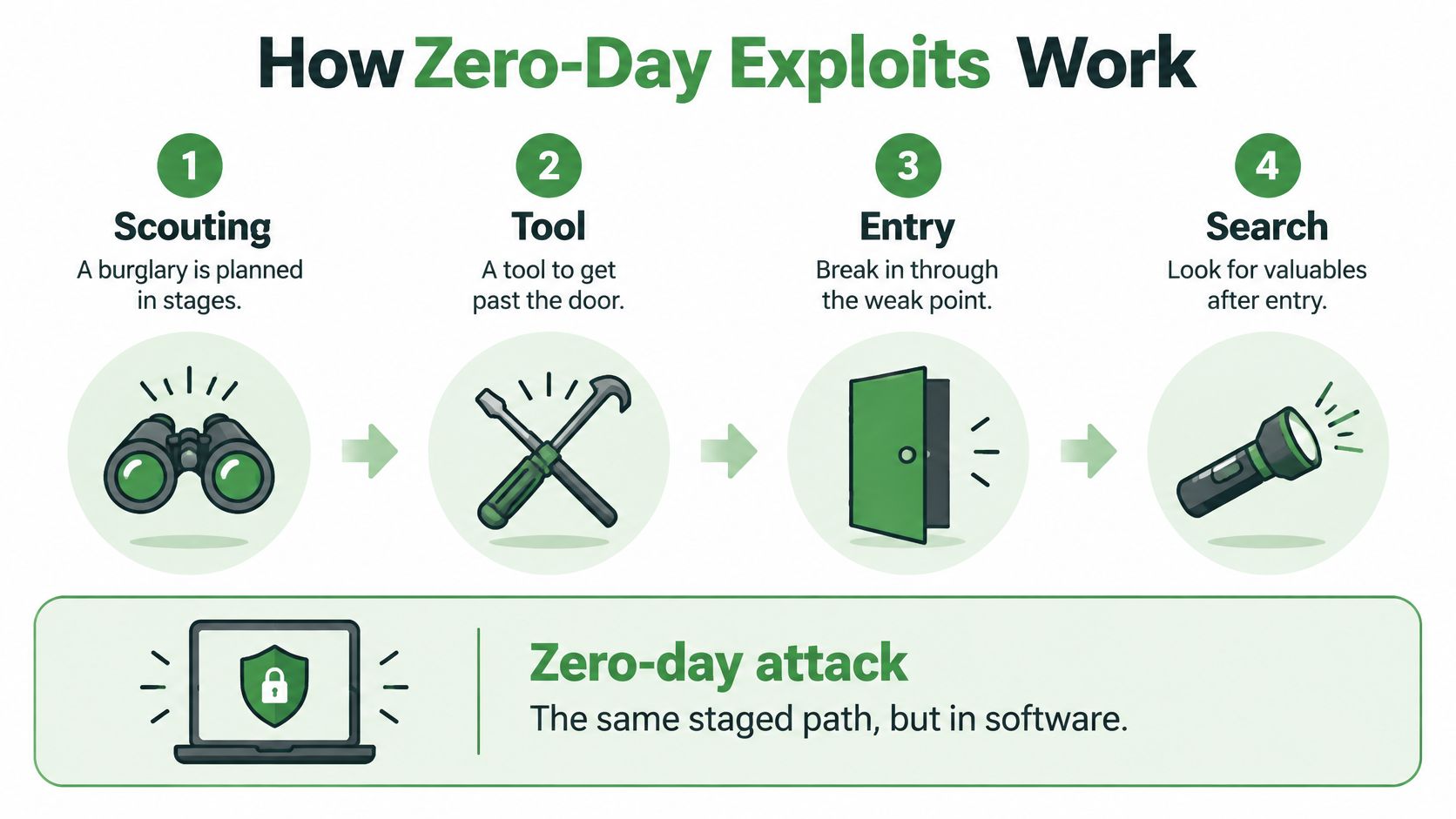
A burglary involves preparation, entry, and a search for valuables. A software intrusion can follow a similar path, although attackers may skip stages or combine them.
The comparison helps separate the initial break-in from everything that follows.
Say a business exposes a remote-access gateway so staff can reach office applications. An attacker finds a flaw in how that gateway handles requests. Instead of guessing a password, they send a request designed to make the software behave incorrectly.
The attacker might gain command execution, read protected information, or steal an authenticated session. Those are different outcomes, and not every exploit installs malware immediately.
Stages of a zero-day attack and what defenders can watch for
| Stage | What the attacker does | Signs defenders can watch for |
|---|---|---|
| Discovery | Finds an unknown flaw through research or reverse engineering | Usually invisible to defenders |
| Preparation | Builds and tests an exploit against a lab copy | Usually invisible, though unusual research traffic can appear |
| Delivery | Sends the exploit through an email, web page, or exposed service | Unusual attachments, links, or malformed requests |
| Exploitation | Triggers the flaw to run code or obtain protected information | Unexpected processes, crashes, or new services |
| Persistence and movement | Creates backdoors and moves to other systems, such as domain controllers | New accounts, scheduled tasks, or unusual administrator logins |
| Impact | Steals data, encrypts files, or stages data for export | Large outbound transfers, new mailbox forwarding rules, or ransom notes |
These are possible signals, not a checklist every intrusion will satisfy. A session-theft attack may leave no unfamiliar program running on the gateway.
A stolen session becomes wider access
In October 2023, the Canadian Centre for Cyber Security reported that a Canadian organization was compromised through CVE-2023-4966, a zero-day flaw in Citrix NetScaler ADC and NetScaler Gateway.
A buffer over-read means software reveals memory beyond the information it should return. Session tokens represent an authenticated session, so stealing them can let an attacker act as someone who already signed in.
The stolen tokens enabled virtual-desktop access. Attackers then ran discovery commands, placed malicious payloads, prepared files for theft, and retrieved information from a domain controller, a server that manages network identities.
This video offers another way to follow the basic exploit process.
The opening exploit may be hard to recognize. Defenders can still investigate unexpected access and movement after entry, rather than watching only the public-facing gateway.
Zero-Days That Targeted Email and Shared Software
Email attracts attackers because it contains conversations, contact lists, invoices, and password-reset messages. Internet-facing mail services also accept traffic from outside your organization by design.
These zero day attack examples show different routes into that information. Shared management software and remote-access gateways can matter even when the mail server itself has no known flaw.
Major zero-day campaigns and their reported scale
| Incident | Year | Software involved | Reported scale |
|---|---|---|---|
| Microsoft Exchange Server campaign | 2021 | Email-server software | Approximately 400,000 servers globally were affected; more than 9,000 Canadian servers were very likely vulnerable, according to the National Cyber Threat Assessment 2023–2024 |
| Kaseya VSA campaign | 2021 | Remote-management software | Approximately 60 managed-service providers and potentially up to 1,500 downstream clients, according to the Communications Security Establishment assessment |
| Citrix NetScaler ADC and Gateway | 2023 | Remote-access gateway | A Canadian organization was compromised through the flaw, with session theft enabling wider access |
The Exchange figures describe different measures: affected servers worldwide and servers assessed as very likely vulnerable domestically. Neither figure should be read as a count of confirmed mailbox thefts.
Why the Exchange campaign matters to email users
A widely used mail platform gives attackers a repeatable target. They can look for exposed installations across unrelated organizations rather than choosing each business individually.
That changes the usual small-business assumption about targeting. A local accounting firm doesn't need to attract special attention if attackers are searching for the software it runs.
The Kaseya campaign shows another route: compromise software that administrators already trust. A remote-access gateway creates a different pathway by connecting an external user to internal applications and files.
Your organization's size doesn't determine whether attackers can find its exposed software.
Email-related incidents also have different goals. Some attackers want private messages; others want credentials, a route into the network, or a way to disrupt operations.
For the ransomware side of that risk, protecting against ransomware via email requires attention to delivery methods and recovery, not just the vulnerability that opened the door.
Your practical next step is to identify who maintains each exposed service. A hosted mailbox, a separate gateway, and an outsourced administrator can create distinct responsibilities.
Common Zero-Day Misconceptions Corrected
Beliefs that confuse the response
Misconception: Only governments need to worry about zero-days. An organization doesn't have to be the intended intelligence target to suffer through widely deployed software. Your exposure follows the technology you use and the access it permits, not just your public profile.
Misconception: Encryption makes a zero-day harmless. Encryption protects information under particular conditions. An exploit may attack a mail-processing service, steal an active session, or compromise a device where a person reads decrypted messages.
Pretty Good Privacy, or PGP, protects message content through encryption and digital signatures. It doesn't repair a vulnerable gateway or prevent an attacker from changing account settings after gaining access.
Privacy controls and intrusion controls solve related problems, but they aren't interchangeable.
Facts and operational judgement
Misconception: Every unpatched system proves a zero-day attack. Fact: a known flaw can remain unpatched because an update failed, a device was overlooked, or a business postponed maintenance. None of those circumstances makes the flaw unknown to its vendor.
It's also unsafe to infer exploitation from disclosure alone. A vendor can publish a security update after a researcher privately reports a weakness, without evidence that attackers used it.
Misconception: Installing the patch ends the incident. Fact: an update can close the entry point without removing stolen credentials, malicious accounts, or an existing backdoor. Incident responders must assess what happened before the update.
Our editorial judgement is that containment and evidence preservation should inform emergency changes, rather than treating installation speed as the only measure of success. That doesn't justify delay without protection. It means deciding what can safely stay online, what needs restrictions, and what must be isolated.
How Providers Respond Before a Fix Exists
A provider can't install a fix the vendor hasn't released. It can reduce access to the vulnerable component and prepare a controlled response.
Say a mail service relies on a gateway with a newly reported weakness. Disabling the affected feature may protect users without stopping mail delivery. In another setup, taking the gateway offline may be the safer choice.
A controlled emergency response
Map affected assets. Identify every installation, including standby systems and administrative interfaces.
Check actual exposure. Confirm whether the vulnerable feature is enabled and reachable.
Assess impact and timing. Record the likely consequences of exploitation and of the proposed change.
Track changes. Keep configuration edits, approvals, and deployment results in an incident record.
Prepare recovery options. Define how to roll back a failed change and maintain essential service.
Temporary controls can include restricting administrative access, disabling an affected feature, or placing the service behind an additional access check. Extra logging helps only if someone reviews the resulting alerts.
A rushed update can break authentication or interrupt delivery. A cautious provider still needs a deadline, an accountable decision-maker, and a way to verify that its temporary protection works.
Trusted updates need boundaries
The Kaseya campaign involved attackers bypassing authentication, uploading and executing malware, and distributing a malicious payload through a fraudulent update. The central lesson is that trusted administrative channels need limits.
Providers should allow only approved update sources and verify package signatures. A valid signature helps establish origin and integrity, but it doesn't prove the publisher's own release process stayed secure.
Management tools should sit apart from production mail systems. Service accounts should have only the permissions they need, while monitoring should flag unexpected bulk deployments.
An emergency process must also let administrators stop a deployment or revoke trust in an update channel. Otherwise, a tool intended to maintain systems can spread a compromise.
Ask your provider: Can you disable a vulnerable component without exposing the rest of the service?
Also ask who approves emergency changes and how the provider checks for intrusion after remediation. Clear answers reveal more than a general promise to patch quickly.
Email Protections That Limit Exposure
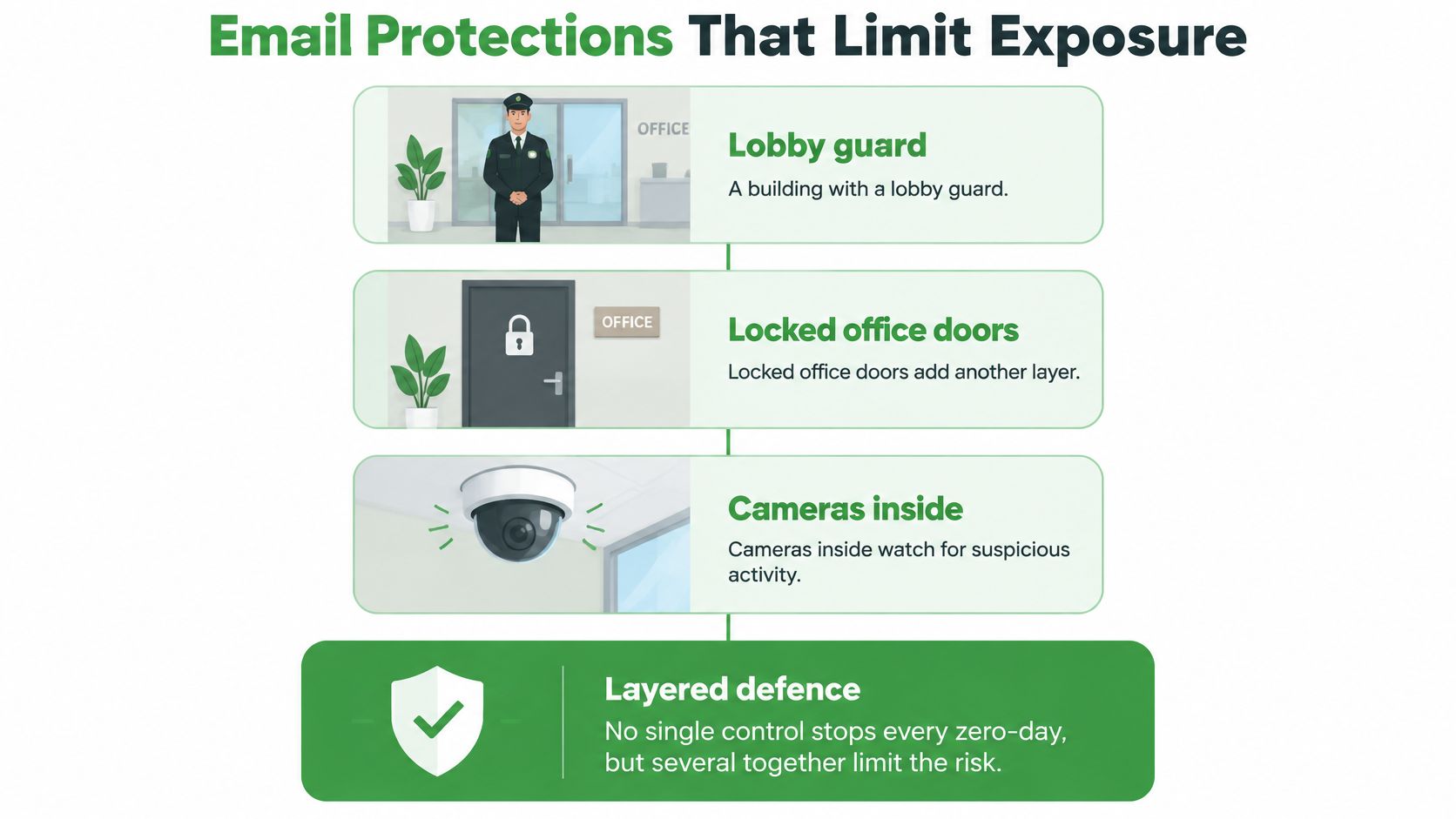
A building might have a lobby guard, locked office doors, and cameras inside. Each control serves a different purpose, and none makes the others unnecessary.
Email protection works the same way. Filters inspect incoming material, access controls restrict what accounts can do, and monitoring helps responders notice abuse.
The layers work together rather than forming a single impenetrable barrier.
Inspect messages without trusting them
Phishing detection and virus filtering can block suspicious messages and known malicious files. Attachment isolation can process risky content away from the user's device, though it can't guarantee that every exploit will reveal itself.
Links need similar care. A convincing message can direct you to a credential-stealing page without exploiting any software flaw at all.
Sender-authentication standards address another problem:
SPF, Sender Policy Framework: Describes which sending systems a domain authorizes.
DKIM, DomainKeys Identified Mail: Adds a digital signature that receiving services can verify.
DMARC, Domain-based Message Authentication, Reporting and Conformance: Connects authentication results to the visible sender domain and publishes handling policy.
These standards help receiving services assess spoofed senders. They don't fix server vulnerabilities or prove that an authenticated sender is trustworthy.
A secure email gateway can centralize message inspection, but it also needs maintenance and isolation. Adding a security product creates another system whose exposure someone must manage.
Limit access and preserve recovery
Multi-factor authentication requires another proof of identity beyond a password. It reduces password-only account theft, but it doesn’t necessarily stop stolen session tokens or an exploit that bypasses sign-in. In the Citrix case above, stolen tokens let attackers skip the sign-in step entirely.
Least-privilege access limits staff and software to necessary tasks. Detailed logs, isolated backup copies, and tested restoration procedures help responders investigate and recover when prevention fails.
There are trade-offs. Strict filters can delay legitimate invoices, while extensive logs require storage, restricted access, and regular review.
The Cyber Centre's National Cyber Threat Assessment 2025–2026 warns that attacks exploiting disclosed vulnerabilities can begin within days of disclosure. That leaves little time between a public notice and a deployed fix, so containment plans must already exist.
How to Reduce Your Risk This Week
Start with changes you control rather than waiting for the next vulnerability announcement. Personal account hygiene and business infrastructure maintenance need different owners, but both matter.
Use these checks to find gaps you can close without guessing which hidden flaw attackers might discover next.
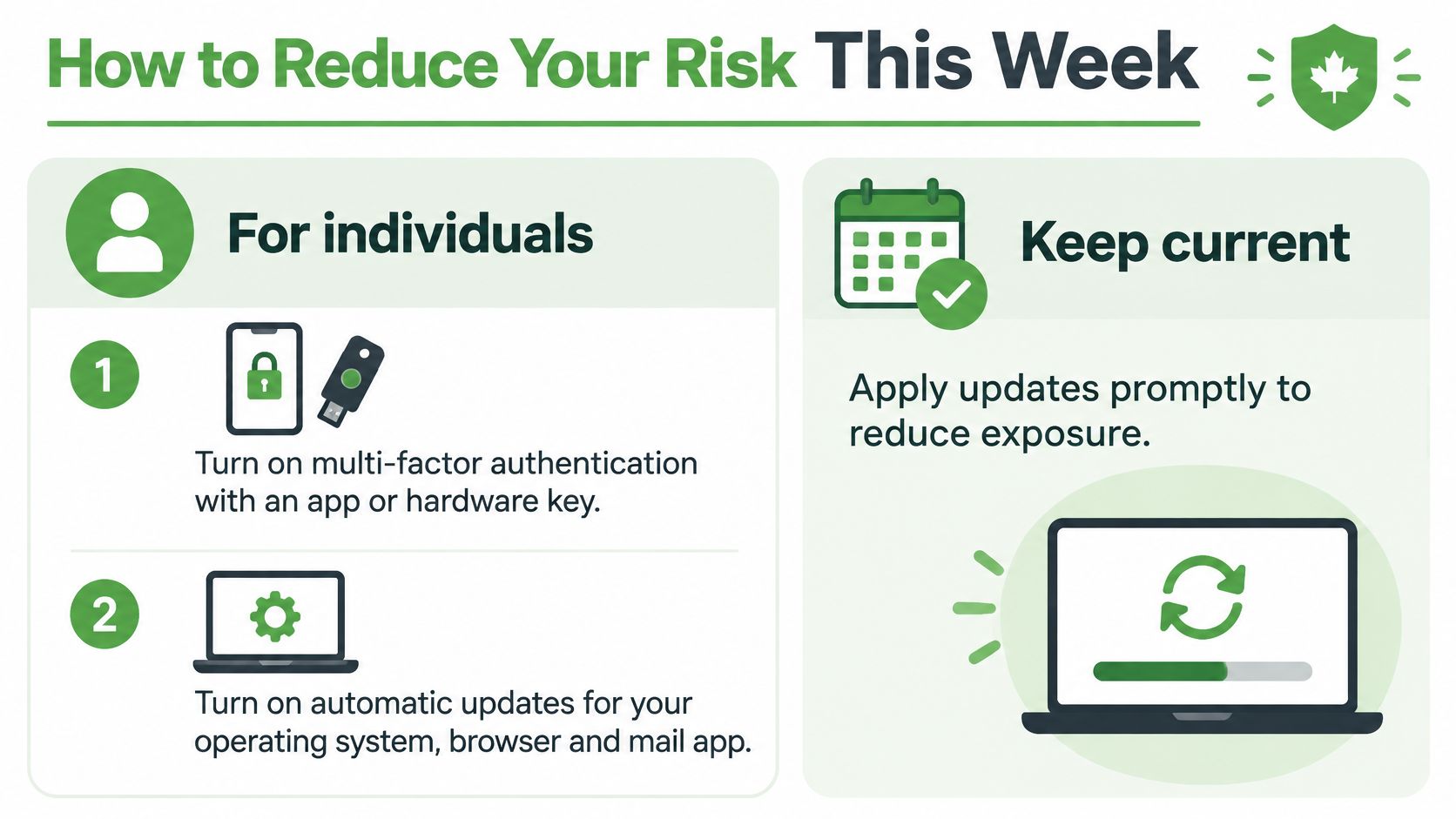
For individuals
Enable multi-factor authentication. Use an authenticator app or a hardware security key where your provider supports it.
Turn on automatic updates. Include your operating system, browser, and mail app.
Review forwarding and connected apps. Remove destinations and permissions you don't recognize.
Check recent sign-ins. Investigate unfamiliar devices, sessions, and locations rather than dismissing them.
Keep a recoverable mail backup. Check that you can open the exported messages before relying on it.
Unexpected account activity deserves prompt action even when you haven't heard about a vulnerability. Contact your provider through its established support channel and preserve relevant alerts.
For everyday message checks, use a deliberate process to check a phishing link before you click. Avoid treating visual familiarity as proof that a destination is safe.
For business owners and IT staff
Inventory exposed services. Include mail servers, webmail, gateways, remote-access tools, and management systems.
Subscribe to relevant alerts. Follow your software vendors and the Cyber Centre's advisory channels.
Set risk-based patch timelines. Prioritize reachable, actively threatened systems and document temporary protections.
Assign emergency authority. Name an approver and record each decision between an urgent patch and a temporary control.
Test mail restoration. Confirm who can restore messages and how staff will communicate during an outage.
The Government of Canada's vulnerability-management guideline calls for impact analysis, defined timelines, change tracking, contingency plans, and rollback procedures, and allows up to 48 hours for extreme-impact vulnerabilities when collateral-damage risk is present. That is managed emergency remediation, not permission to leave an exposed system unattended.
If you suspect information theft, involve your privacy lead alongside technical responders. Preserving evidence and assessing notification duties should happen alongside service recovery.
Finally, ask any email provider where your data is hosted, how it handles emergency patches and incident notices, and whether it operates its own infrastructure. Domestic hosting can improve jurisdictional clarity, but location alone doesn't establish technical security.
Start your 7-day Typewire free trial, and ask us directly about infrastructure control, emergency patching, and incident communication.
The post Zero-Day Attacks Explained: What They Are and Why Your Email Is a Target appeared first on Typewire.
Zero-Day Attacks Explained: What They Are and Why Your Email Is a Target
Posted: 2026-11-06
Dark Web Monitoring: How to Check If Your Email Was Exposed in a Data Breach
Posted: 2026-11-03
What Is Credential Stuffing and How Does It Threaten Your Email Account?
Posted: 2026-10-30
What Is a Data Breach? How Exposed Email Credentials Put You at Risk
Posted: 2026-10-27
What Is Social Engineering? How Hackers Target Your Email
Posted: 2026-10-23
Cyber Attack Canada: Email Threats Targeting Businesses
Posted: 2026-10-20
What Is Spear Phishing and Why Targeted Attacks Hit Harder
Posted: 2026-10-16
What Is Smishing and How to Avoid SMS Phishing
Posted: 2026-10-13
How to Whitelist an Email Address (So You Stop Missing Messages)
Posted: 2026-10-06