What Is Credential Stuffing and How Does It Threaten Your Email Account?
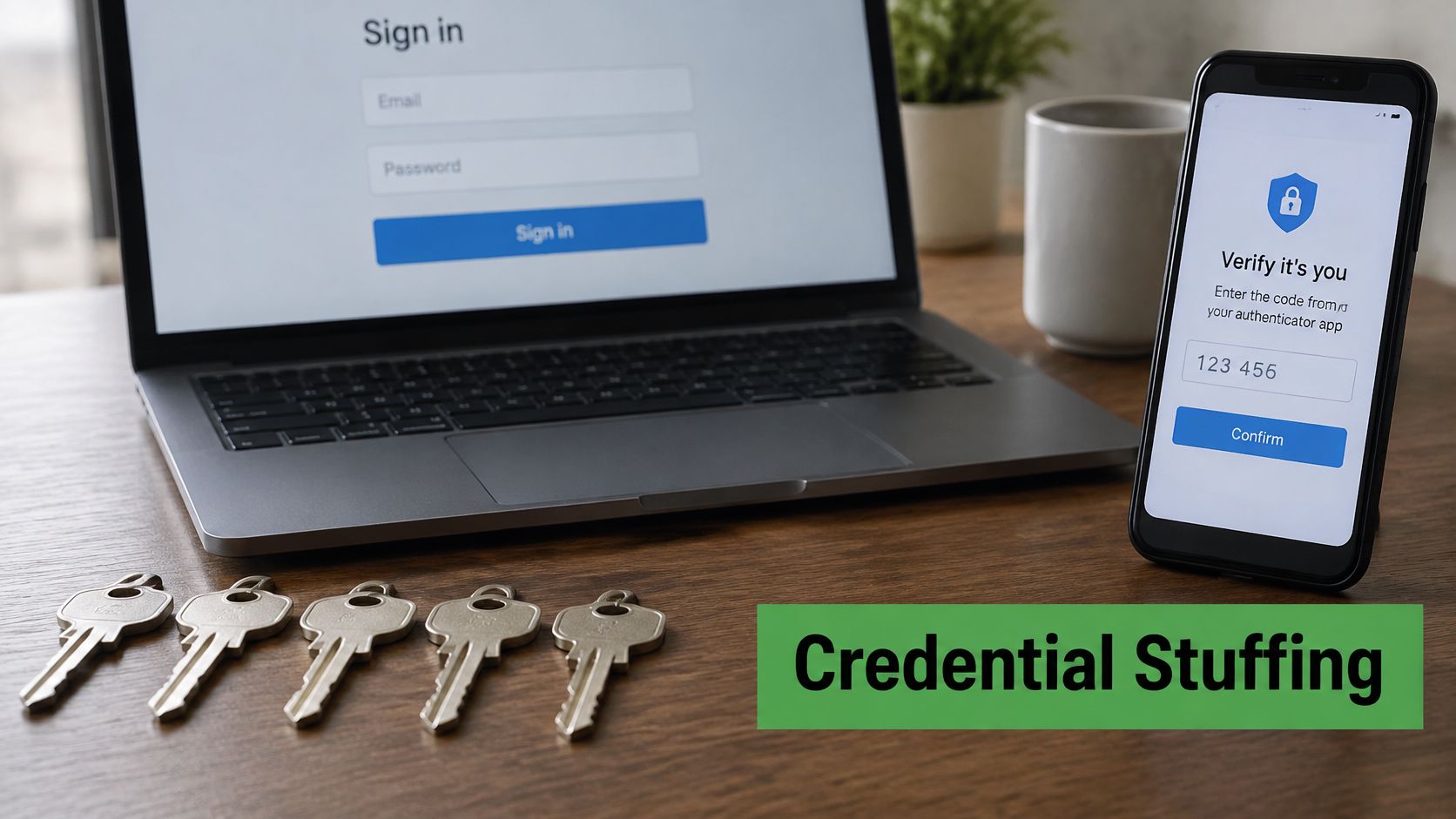
Credential stuffing is the automated replay of username-password pairs stolen in earlier breaches against other services, on the bet that you reused the same login. That bet pays off often. In a 2020 Get Cyber Safe survey, 41% of Canadians said they use the same password for multiple accounts. Campaigns built on that habit have reached government sign-in services used by millions of people.
You are likely in the middle of that setup right now. The same inbox holds a bank reset, a tax notice, a shopping receipt, and a work thread. If an old password still opens the mailbox, an attacker does not need to break the mail server. A sign-in alert from another city, or a reset message you did not request, is often the first clue. The login can look valid because the password really matches.
What Is Credential Stuffing
You get a password-reset email at 2 a.m., or a sign-in notice from a city you have never visited. Nothing on your laptop looks broken. The password still works, which is exactly why the alert feels confusing.
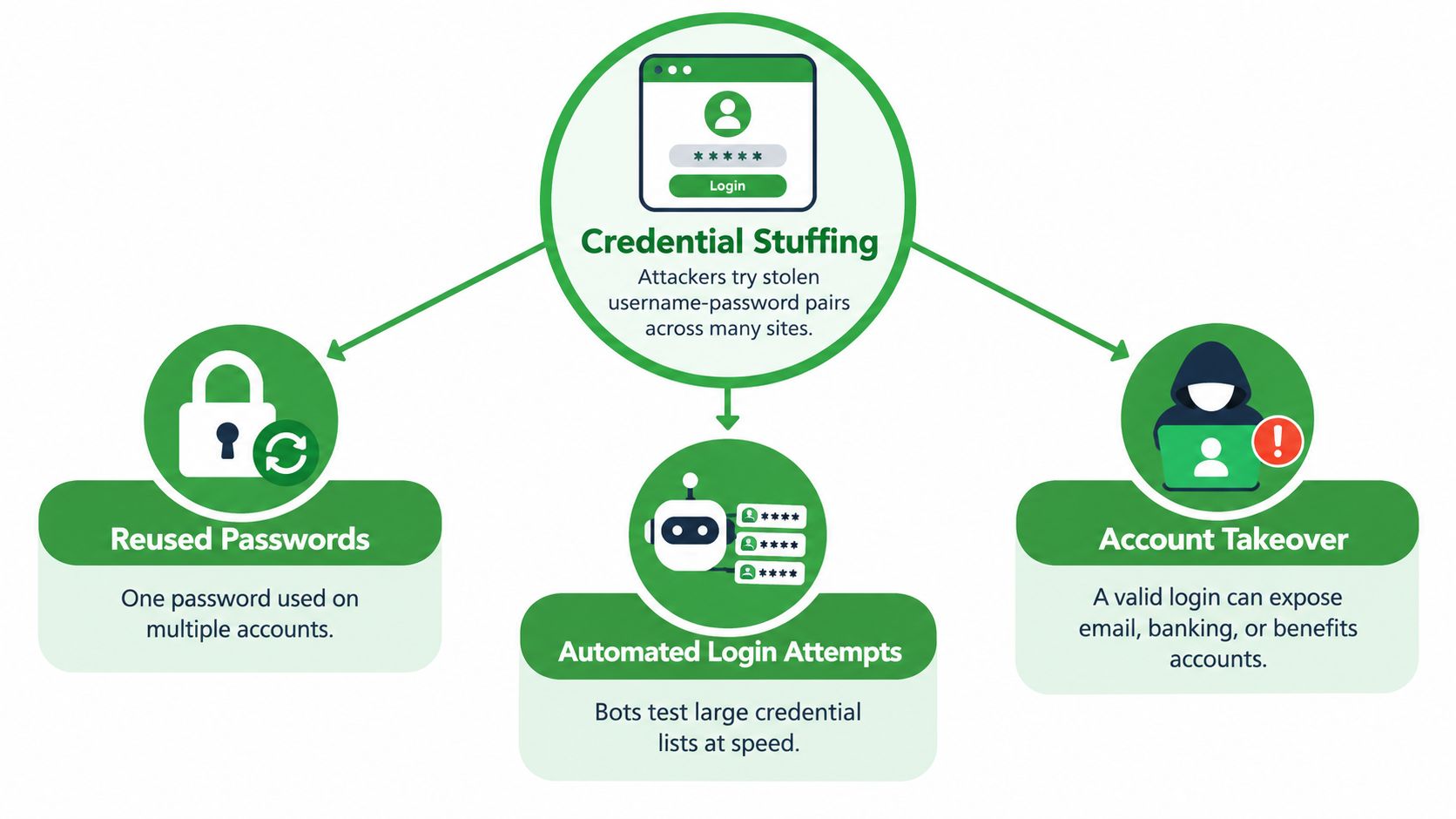
Credential stuffing is automated replay of email-and-password pairs leaked from somewhere else. It is not a magic bypass, and it is not proof that every site you use was hacked. Attackers take logins that already worked on one service and try them on others.
Think of a copied gym-locker key. If that key also opens your apartment, your office, and a storage unit, the thief does not pick every lock. They try the same key. Password reuse is that copied key. The Office of the Privacy Commissioner of Canada has identified reuse as the behaviour that lets these campaigns succeed, which is why the figure in the opening matters.
Why the mailbox sits at the centre
Email collects the trail of your other accounts. Reset links, receipts, contact lists, and identity notices converge there. A valid login to the inbox can become a pivot into banking, tax, work, and shopping, even when the provider's own password database was never stolen.
You will not always see a storm of failed passwords. A correct reused password looks like an ordinary sign-in until someone checks the place, the device, or a recovery detail that changed afterward.
A password that stayed secret on one website can still open another account if you typed it there too.
What that definition changes
Name the mechanism before you chase a single alert. Then look for signs in your own mail, and shrink how far one login can reach. Unique passwords and a second sign-in step matter more than hoping the next breach misses your address. The rest of this guide walks that path in order: how the attack runs, how it differs from guessing, why the inbox is the prize, what public cases showed, and what to do today.
How a Credential Stuffing Attack Works
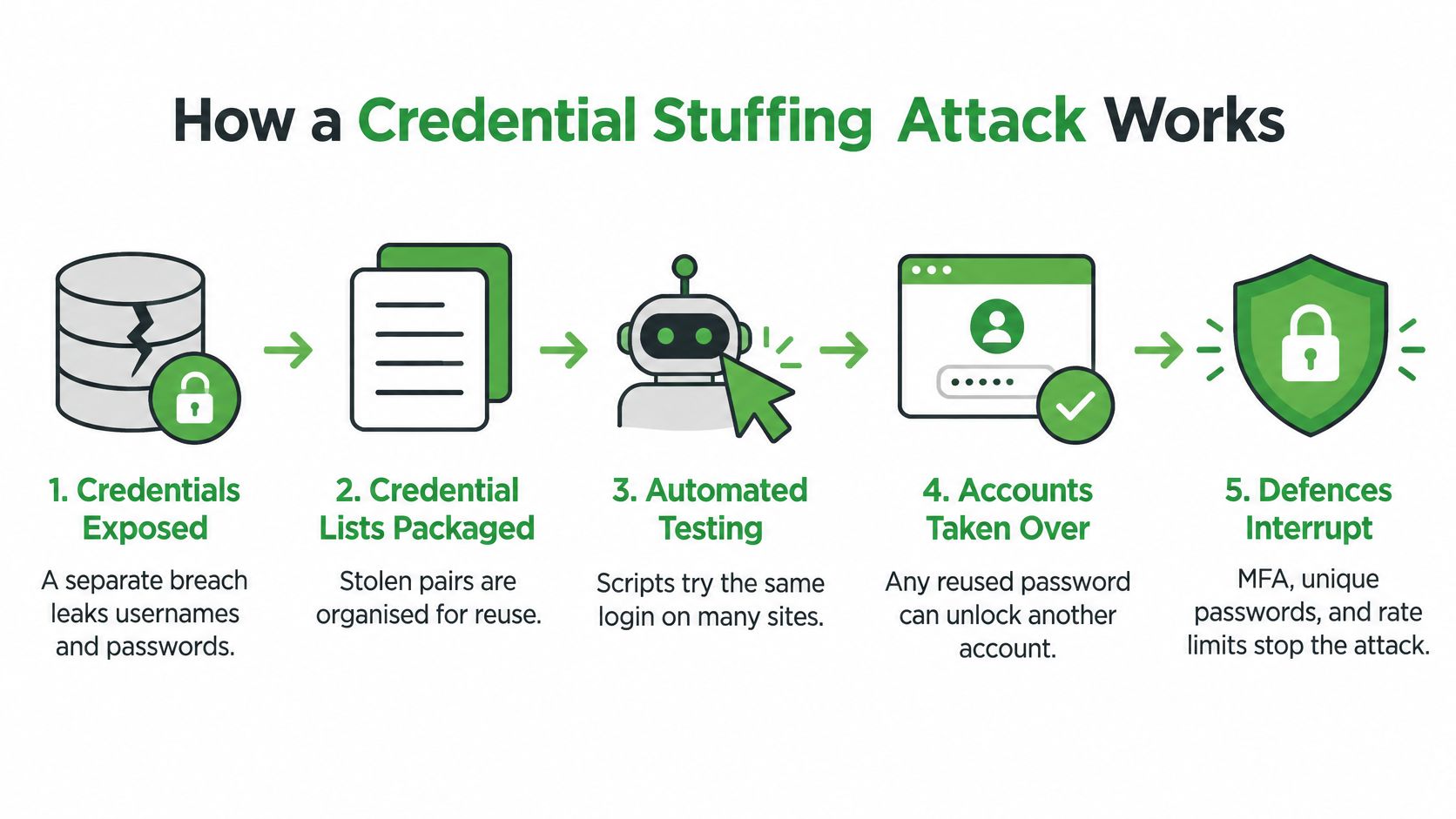
A credential stuffing attack starts somewhere you do not control. Another company is breached. Usernames and passwords leave that system, often as email addresses paired with the secrets people chose. Those pairs are sorted into lists and loaded into account-checking tools or botnets.
The Canadian Centre for Cyber Security describes the next move clearly. Attackers test leaked combinations, often an email address and a password, against a different web application. They are not inventing the password from scratch. They already hold a plausible pair, and they depend on you having reused it.
Why a hostile login can look correct
The target site may be healthy. In the 2020 GCKey case, the government's own account of the incident said the authentication service itself was not compromised. Malicious actors used valid usernames and passwords from unrelated breaches and fed them into automated software. The password was right. The person was not you.
That is the confusing part. Your provider can reject a wrong password and still accept a reused one. Defenders therefore watch behaviour, not only the yes-or-no result.
Signals worth logging
The same Cyber Centre guidance points to hardened sign-in flows, blocking known malicious sources, breach monitoring, and anomaly detection. It also states that multi-factor authentication protects against a vast majority of these attacks. Useful logs keep the time, the account, the source network, device traits, the multi-factor result, and the risk decision.
What you might notice is smaller:
Reset mail you did not request: someone may already be inside, or probing recovery.
Unexpected multi-factor prompts: a correct password reached the second step.
A session from an unfamiliar place or device: a success can matter as much as a failure.
Many accounts tested from scattered networks: simple per-address limits miss distributed bots.
Rate limits help, but only if they look past a single address. A patient botnet can stay under a fixed cap on each source while the campaign stays large.
Credential Stuffing vs. Brute Force
People often use one label for every automated login. The starting material is different, and the fix changes with it.
Brute force guesses. The attacker does not have your password yet. Software tries many candidates against one account, or a tight set of accounts, until something matches or a lockout hits.
Credential stuffing already holds plausible pairs from an older breach. Speed comes from testing known combinations across other sites, not from inventing new strings. A long password still fails you if it is the same long password everywhere.
Password spraying sits in between. The attacker has usernames, or can guess them, and tries a few common passwords across many people. The goal is to stay under lockout rules that watch a single account.
| Attack | What the attacker starts with | Typical signal | Most useful defence |
|---|---|---|---|
| Credential stuffing | Stolen username-password pairs from another breach | Many accounts tested, including distributed sources and some successful logins that look ordinary | Unique passwords, breach screening, multi-factor authentication, behaviour checks |
| Brute force | A target account and a guessing wordlist | Many failures against one account or a small set | Lockouts, long unique secrets, rate limits, multi-factor authentication |
| Password spraying | A username list plus a few common passwords | One or two passwords tried widely, with failures spread out to avoid lockouts | Banned-password lists, multi-factor authentication, alerts on repeated common secrets |
Why the label changes your next step
If your email password is unique, a dump from a forum or shop has little value against that inbox. If it is long but reused, stuffing still beats you, because the attacker is not guessing. Lockouts alone also miss a distributed credential stuffing attack, since each source can look quiet.
Name the threat before you pick the control. Reuse needs a new secret. Guessing needs friction. Spraying needs a ban on obvious passwords.
You do not have to run a security team to use that split. When a breach notice arrives, ask whether that exact email-and-password pair exists anywhere else. If it does, stuffing is the model, and a single reset at the breached site is not the whole job.
Why Email Accounts Are Prime Targets
The inbox is the reset hub. Banks, tax portals, shops, cloud drives, and workplaces send proof-of-you to the same address. Whoever can read that mail can often request a new password somewhere else, then delete the evidence.
That is why one mailbox outweighs any single password. A stuffed login that opens webmail can expose invoices, client threads, stored identity documents, and the recovery address you set years ago. Our public note on why your email is the master key to your digital life maps that chain in more detail. The short version is that the attacker may never touch your mail host's password database. They borrow a secret you already reused, then follow the links your other providers email you.
What small businesses quietly add
Shared mailboxes, custom domains, and admin roles raise the stakes. A former employee can still have a forward. A filter can hide security mail. An alias used for domain or DNS billing can be the path to the website itself.
Watch for these quiet pivots:
Forwarding rules: mail leaves the account before you read it.
Delegated access: another user can open the box without your daily password.
Admin consoles: one reused staff password can reset everyone else.
Leavers: old accounts keep receiving password mail after the person is gone.
What a careful provider still cannot fix
Private, ad-free email does not cancel reuse. If you type the same secret on a breached shop and on your mailbox, the correct password will authenticate. Jurisdiction, data minimization, and mail-focused infrastructure still reduce unrelated exposure. They do not invent a second factor you never turned on, and they do not rewrite a recovery phone number an attacker already changed.
PIPEDA sets expectations for how organizations handle personal information, including breach assessment and safeguards. That duty sits with the organization that holds the data. Your own duty is narrower and immediate: keep the reset hub on a secret that appears nowhere else, and treat recovery details as part of the password.
Real Attack Examples
Public cases show the same chain. Credentials arrived from other breaches. Automation tested them. Valid pairs created access that looked routine until someone reviewed the pattern.
GCKey and tax accounts in 2020
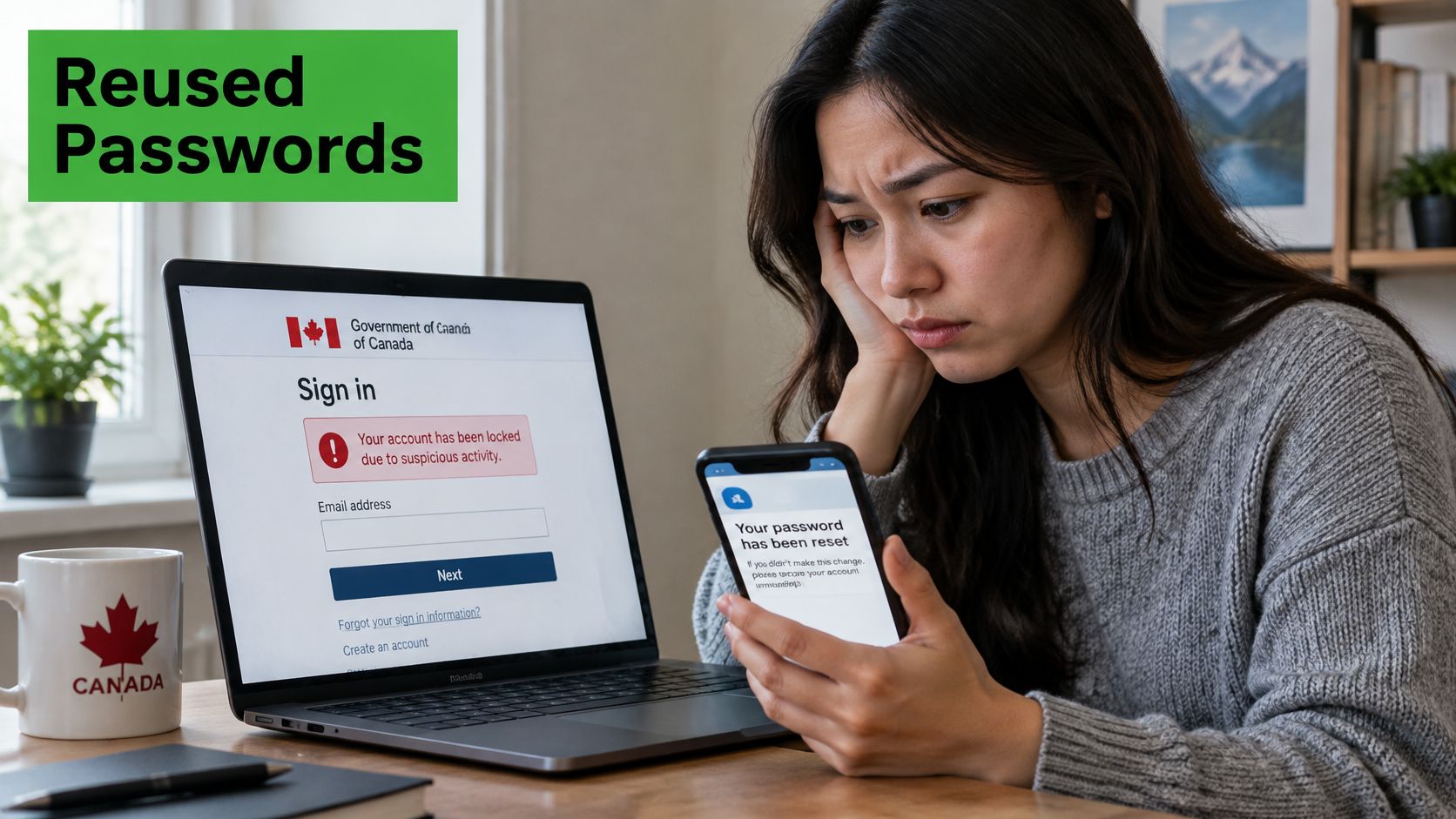
In August 2020, attackers used usernames and passwords from unrelated breaches against GCKey, a government authentication service used by about 30 federal departments. The Canadian Centre for Cyber Security reported that, of roughly 12 million active GCKey accounts, credentials for 9,041 users were acquired fraudulently and used in attempted access. About one-third of those accounts reached government services and needed review. The same statement said about 5,500 Canada Revenue Agency accounts were targeted in that attack and a separate CRA stuffing attack. By September 2020, about 9,300 GCKey credentials had been revoked.
The Privacy Commissioner later found that attackers reached CRA and Employment and Social Development Canada services with credentials taken from other organizations. They could access, modify, and create online accounts, including redirecting benefit payments. ESDC began identifying more than 2,000 identity-theft cases after an alert on 27 August 2020, and the investigation concluded that sensitive information belonging to tens of thousands of people was compromised, as set out in the Privacy Commissioner's GCKey findings.
A small share of a huge account base was enough. You would not have seen every attempt. The harm showed up as revoked credentials, changed payment details, and long review queues.
A long tail, not a single afternoon
The fallout lasted years. In May 2024, the CRA filed a breach report with the Privacy Commissioner. It covered 31,393 cases of unauthorized account use from May 2020 to November 2023. Not all came from credential stuffing, but about 15,000 were tied to the 2020 benefit fraud. Separately, the CRA flagged about 48,500 accounts with suspicious activity during the 2020 attacks. Those were potentially affected accounts, not confirmed takeovers.
A joint investigation by Canada’s and the UK’s privacy commissioners found a similar pattern at 23andMe. Attackers used reused credentials to access 18,222 accounts worldwide, including 769 in Canada, between April and September 2023. Through a relative-matching feature, they then reached information on nearly 7 million customers.
This short briefing shows how reused logins move from one breach into another service without a new software flaw:
The lesson is scale plus normality. Prevention stops the reused pair. Response still matters, because a few successes create identity-theft reviews that last months.
How to Protect Your Email
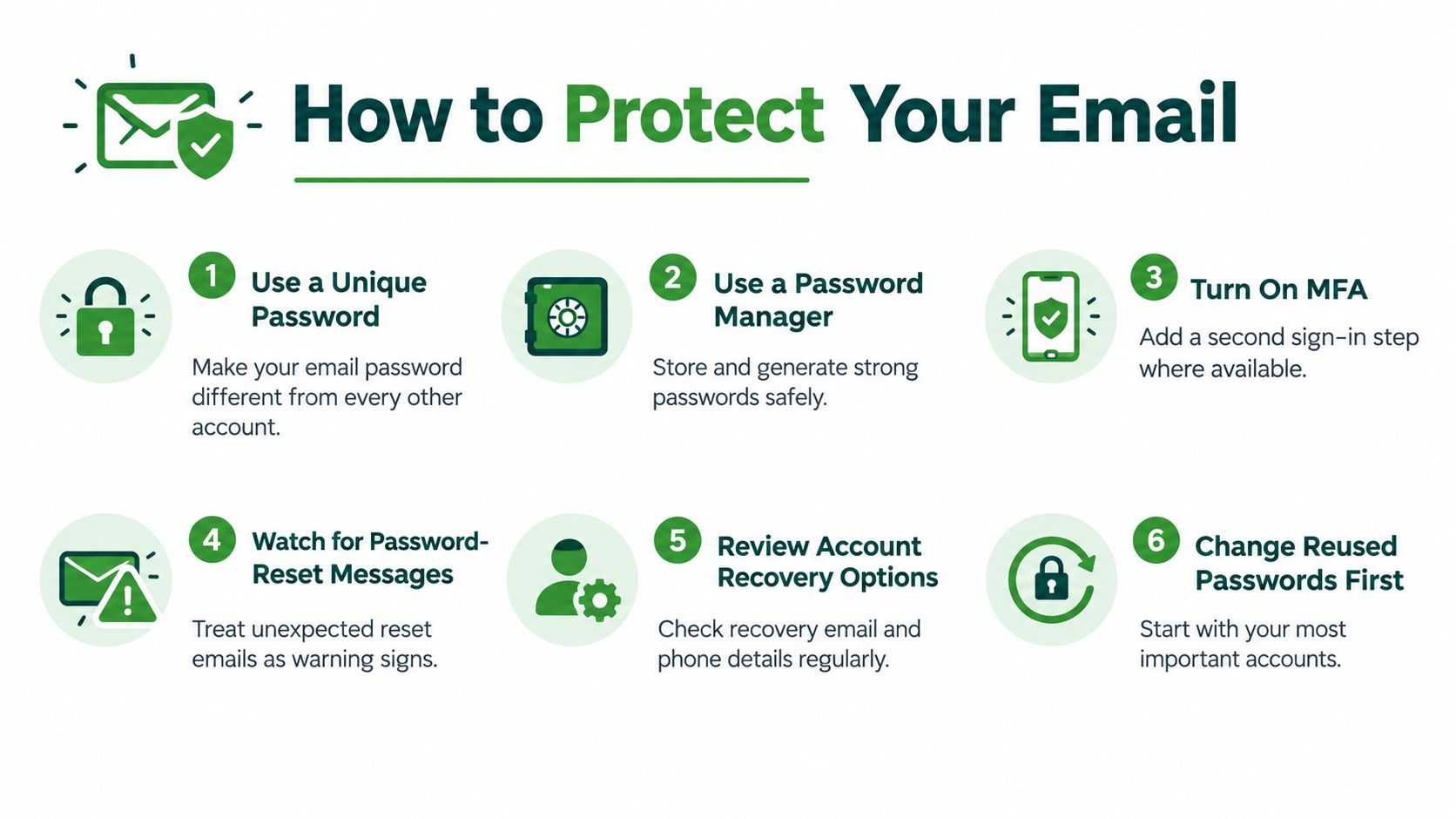
Order the work by impact. Start with the inbox, then the accounts that trust it.
Give email a unique password that you have never used on a shop, a forum, or a bank. A password manager should generate it and store it. Memory will push you back toward reuse the moment a site adds one more login.
Turn on multi-factor authentication wherever the service offers it. Prefer an app or a hardware key over text messages when you can. Text codes help, and they are weaker if someone already controls your phone number. Our guide to multi-factor authentication for email walks through the choices without treating a checkbox as the whole design. The Cyber Centre's point, noted earlier, is that this second step stops most stuffing. It does not fix a sloppy recovery flow.
Check the doors beside the password
Review active sessions and sign out anything you do not recognize. Then open recovery settings. Confirm the backup email, the phone number, forwarding, filters, and any delegated access. Attackers who already have a valid password often edit those details next, so the next reset goes to them.
After the inbox is unique, change reused passwords on banking, tax, work, shopping, and domain or DNS accounts. Email resets cascade. A strong mailbox password does not help if the registrar still shares an old one.
Questions worth asking a provider
Ask how sign-in is limited, not only whether a lock icon appears in marketing. Useful answers cover:
Multi-factor options: app or key for admins, not only a text code for show.
Breached-credential checks: reused pairs flagged before they become a session.
Rate limits beyond a single address: account, network, device, and whole tenant.
Anomaly alerts and session revocation: you can kill a live login.
Recovery verification: support will not hand the account to a caller who only knows public facts.
At Typewire, we host email in Canada under PIPEDA, on our own infrastructure, without ads or data mining. We are straightforward about the limit. Those choices do not rescue a password you also used on a breached site. You still need a unique secret and a second step. For a business, put multi-factor authentication on admins, audit shared mailboxes, remove leavers, and keep enough logs to tell stuffing from a typo.
If You Suspect Credential Stuffing
Move in order. Panic resets in the wrong place leave the inbox as the attacker's workshop.
Secure email first. Set a new password from your manager, one that exists nowhere else. Sign out other sessions. Read forwarding rules and filters. Confirm the recovery email and phone are yours. If a reset message is sitting unread, treat it as a clue, not as junk.
Next, replace the same pair anywhere else it appeared. Banking, tax, payroll, your registrar, and social accounts come before low-value newsletters. Then turn on or tighten multi-factor authentication. Look for password changes and payment edits you did not make.
For a business, revoke sessions, list who still has admin or shared-mailbox rights, rotate exposed app passwords, and write down what you saw. A short record helps if a client, a bank, or a regulator asks what you checked. If you want a fuller sequence for a hosted mailbox, use our data-breach response plan for hosted email.
Do today's step on the password that can reset everything else. Make that email secret unique before you tidy the rest.
Typewire is a privately owned email provider in Vancouver, BC. We run our own systems in Canada and sell subscriptions, not ads. If you want your reset hub on mail that stays in Canada, start your 7-day free trial. Unique passwords and multi-factor authentication still sit with you, but a private inbox makes them easier to keep.
The post What Is Credential Stuffing and How Does It Threaten Your Email Account? appeared first on Typewire.
What Is Credential Stuffing and How Does It Threaten Your Email Account?
Posted: 2026-10-30
What Is a Data Breach? How Exposed Email Credentials Put You at Risk
Posted: 2026-10-27
What Is Social Engineering? How Hackers Target Your Email
Posted: 2026-10-23
Cyber Attack Canada: Email Threats Targeting Businesses
Posted: 2026-10-20
What Is Spear Phishing and Why Targeted Attacks Hit Harder
Posted: 2026-10-16
What Is Smishing and How to Avoid SMS Phishing
Posted: 2026-10-13
How to Whitelist an Email Address (So You Stop Missing Messages)
Posted: 2026-10-06
Email Bounce Explained: Soft vs Hard Bounces & How to Fix Them
Posted: 2026-10-02
Which Secure Email Provider Fits Your Workflow? 10 Options by Use Case
Posted: 2026-09-29