Professional Email Greeting: Master the professional email greeting today
An email greeting is so much more than a simple "hello." Think of it as your digital handshake—it's the very first thing you do to build trust and show you're a real, credible person in an online world full of risks. A strong professional email greeting is a fundamental aspect of email security and privacy.
Starting with a specific, appropriate salutation like "Hello Dr. Evans" or "Hi team" instantly sets a professional tone. It's a small detail that helps your message rise above the noise of generic spam and sneaky phishing emails, especially when communicating via a secure, hosted email platform.
Why Your Email Greeting Is Your First Security Checkpoint
First impressions count, and in email, they are a critical component of security. Your inbox is a digital front door that is constantly being tested by threats. A generic, impersonal greeting like "Dear Valued Customer" is the email equivalent of an unsolicited flyer—it’s easy to ignore and, frankly, a major red flag for phishing attempts.
On the other hand, a thoughtful, professional email greeting signals that a legitimate person took the time to write the message. This simple act is surprisingly crucial for email security. Cybercriminals often use vague or awkward greetings in their phishing attacks because they're casting a wide, impersonal net. Using a proper greeting helps differentiate your legitimate communication from these malicious campaigns.
These days, spam filters on hosted email platforms and savvy email users are trained to spot these impersonal openings as threats. By using a proper salutation, you immediately set your message apart, improving its chances of being seen as safe and trustworthy.
Setting the Tone for Privacy and Trust
When you care about email privacy, every little detail matters. A professional greeting shows you respect the recipient's time and attention, which is the bedrock of any secure conversation. It proves you're a thoughtful communicator, not a scammer or a bot. For anyone using a hosted email platform, this is a fundamental first step in establishing a secure communication channel.
A well-crafted greeting is the first layer in building a secure communication channel. It tells the recipient, "This message is intentional, professional, and safe to open," which is a crucial first step in a world where cyber threats are constant.
A proper greeting helps ensure your message is not just received but also trusted. If you're serious about protecting your data and maintaining email privacy, starting every email correctly is a simple yet powerful security habit.
You can learn more about how to identify phishing emails in our detailed guide to stay safe online. Hosted email solutions are built for security, and when your communication style mirrors that priority—starting with the greeting—you reinforce the safety of the entire exchange.
Choosing the Right Greeting for Any Situation
Think of your professional email greeting like picking out an outfit. What you wear depends on the event, who you're meeting, and the impression you want to leave. The same logic applies here. Getting your email greeting right isn't just about good manners; it's a small but strategic move that directly impacts email security and privacy.
Interestingly, this choice has a technical side, too. Selecting the right greeting is one of the first steps in establishing a secure line of communication. An odd, impersonal, or overly generic salutation can actually trigger sophisticated spam filters, especially on secure hosted email platforms. This means your carefully crafted message might never even make it to the recipient's inbox.
Your greeting is one of the first clues an email filter uses to decide if your message is legitimate. A thoughtful salutation helps mark your email as intentional and trustworthy, signaling to the hosted email service that it is not potential spam or a phishing attempt.
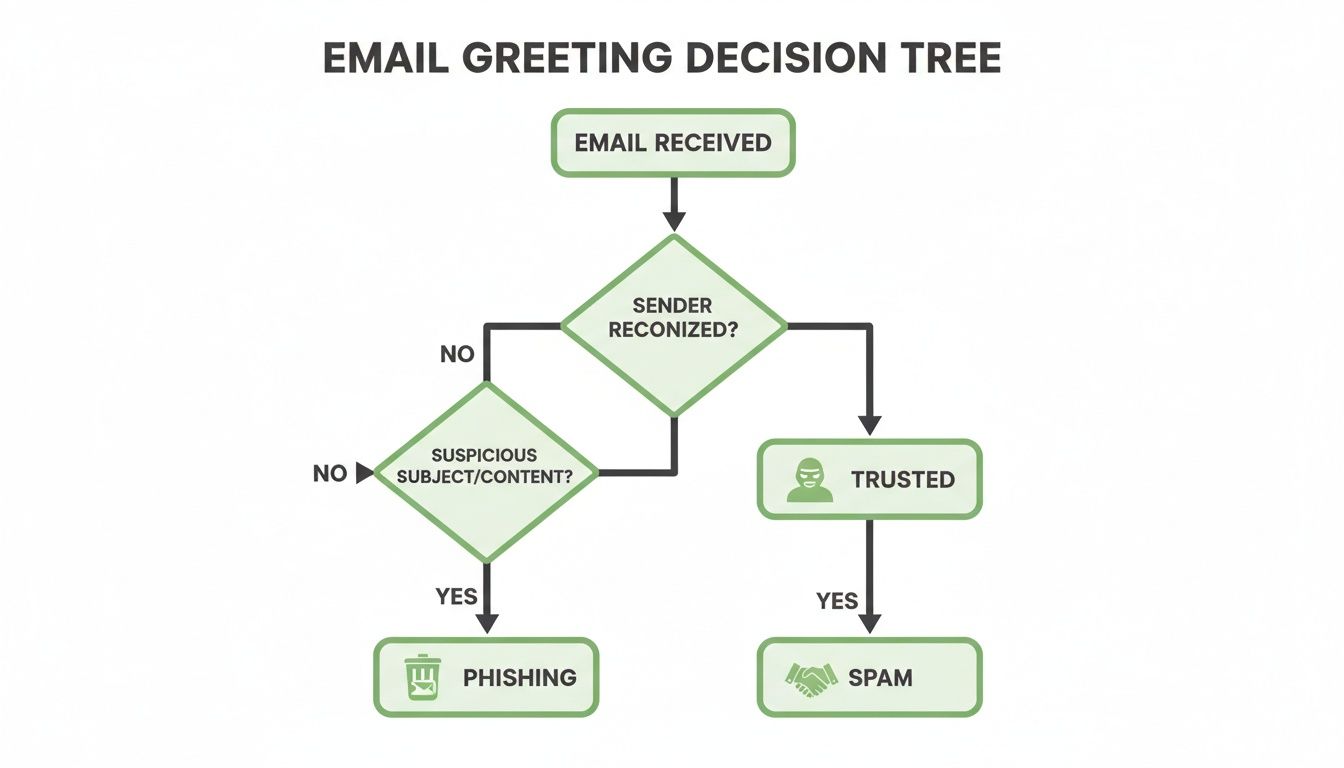
As the diagram shows, a personalized and context-appropriate greeting is a key signal that your message is legitimate. It's a simple way to help your email bypass the digital gatekeepers designed to block threats and protect user privacy.
Matching Your Greeting to the Context
So, how do you pick the right one? It really boils down to three things: your relationship with the person, how formal the situation is, and any cultural norms at play. Your choice directly influences both perception and email security.
For a first contact, a high-stakes proposal, or when addressing someone in a senior position, a formal greeting like "Dear Mr. Chen" is your best bet. It immediately signals respect and seriousness, which helps ensure it is not flagged by security protocols on a hosted email platform.
On the other hand, for day-to-day messages with colleagues or clients you know well, a semi-formal "Hello Sarah" or a friendly "Good morning team" hits the sweet spot. These greetings maintain a professional tone without being too stuffy, making them reliable choices that also look perfectly normal to security filters.
Greeting Formality Levels At a Glance
To make this even simpler, here's a quick reference table. Think of it as your cheat sheet for picking the perfect greeting every time, while keeping email security in mind.
| Formality Level | Recommended Greetings | Best Used For |
|---|---|---|
| Formal | Dear [Title] [Last Name], | Initial outreach, job applications, official correspondence, communicating with senior leadership or government officials. Reinforces legitimacy and email security. |
| Semi-Formal | Hello [First Name], Hi [First Name], Good morning/afternoon, | Everyday communication with colleagues, established clients, or contacts you have a professional relationship with. Standard for secure, professional hosted email platforms. |
| Informal | Hey [First Name], Hi everyone, | Internal team messages, quick updates to close collaborators, situations where a casual rapport is already established. Use with caution to avoid triggering spam filters. |
This table should help you quickly gauge the situation and choose a greeting that feels both natural and appropriate for your audience.
The Most Common Professional Greeting in Canada
In the Canadian business world, where a lot of communication is handled via email under the watchful eye of PIPEDA privacy laws, one greeting has clearly come out on top.
Recent surveys from Indeed Canada show that "Hi [first name]" is the undisputed champion. It's used in approximately 65% of workplace emails across the country. This data comes from a poll of over 5,000 Canadian professionals in sectors ranging from tech and finance to healthcare.
Choosing a familiar yet professional greeting like "Hi [first name]" not only aligns with Canadian business norms but also helps your message appear authentic to both the recipient and their hosted email security filters.
Getting these small details right is what separates a good email from a great one. A casual "Hey team" works wonders for an internal project update, but it could come across as unprofessional—or even suspicious—if you sent it to a new external partner. The goal is always to choose a greeting that fits the context and helps ensure your message lands safely in the inbox.
For a deeper look into crafting compelling email openings, you might find our guide on how to start an email effectively really helpful.
Mastering Formal Greetings for High-Stakes Emails
When the stakes are high, your email greeting is far more than just a simple "hello." It's your first move, a strategic signal that you’re a professional who deserves to be taken seriously. Think about situations like contacting a potential investor, submitting a major proposal, or communicating with a government agency—your first words must build immediate credibility. A generic or sloppy start can torpedo your entire message before it’s even read.
Sticking with gold-standard formal greetings like “Dear [Title] [Last Name]” or “Hello [First Name] [Last Name]” lays a crucial foundation of trust. Psychologically, these traditional salutations tell your recipient that you mean business and are conscious of email privacy.
This is especially critical if you’re using a secure, hosted email platform with a custom domain. A proper, formal greeting reinforces your professional identity and acts as a first line of defence against being mistaken for spam or a casual phishing attempt. It helps ensure your sensitive communications are received with the gravity they deserve, safeguarding both your reputation and email security.
The Power of Formality in Digital Security
In our digital world, formality is also a powerful tool for email security. Spammers and phishers often lean on overly familiar or vague greetings to trick people. A precise and formal professional email greeting, on the other hand, signals to both the recipient and their hosted email platform's security filters that your message is intentional and trustworthy.
A formal greeting is a clear indicator of legitimacy. It reduces the chance of your email being flagged by security protocols or dismissed by a cautious recipient, ensuring your high-stakes message gets the consideration it needs.
Even in traditionally formal environments, things are shifting. The Government of Canada's Language Portal, for instance, reports that "Hello [first name]" now appears in 42% of the formal communications they tracked. That's a 15% jump from pre-pandemic times, a trend likely influenced by hybrid work, where 58% of Canadians now work remotely at least part-time. You can read more about these trends in professional correspondence.
When to Use Formal Greetings
Knowing when to deploy a formal greeting is key to making the right impression and upholding email privacy standards. Here are a few scenarios where it’s non-negotiable:
- Initial Contact: Any time you're reaching out to a new client, a potential employer, or an industry contact for the very first time.
- Hierarchical Communication: When emailing senior executives, board members, or anyone significantly above you in the company org chart.
- Official Matters: For things like legal notices, formal complaints, academic submissions, or government correspondence. For specific guidance on academic emails, resources on how to write an email to the professor can be incredibly helpful.
Addressing Groups and Teams Effectively
Writing an email to more than one person can feel like a bit of a tightrope walk. You want to be inclusive and direct, making sure everyone feels seen without sounding robotic or impersonal. A good group greeting is vital for maintaining clear, secure communication channels.
Think of it as the digital version of walking into a meeting room and saying, "Good morning, everyone" before you start your presentation. It pulls the room together. For internal emails, friendly and professional options like “Hello team,” “Hi everyone,” or “Good morning, colleagues” are usually your best bet. They’re warm, inclusive, and immediately create a sense of shared purpose.
This isn't just about good manners. Clear, collective greetings help keep communication organised, which is crucial for email privacy, especially on secure hosted email platforms. It’s a small detail that helps prevent those messy, confusing threads where key information gets buried or, worse, accidentally shared with the wrong person, creating a data leak.
Choosing the Right Group Greeting
The perfect group greeting really comes down to your relationship with the recipients and the vibe of your workplace. “Hi team” works beautifully for your direct reports, but if you're sending an update to the board of directors, something more formal like “Dear Committee Members” is probably a better fit for maintaining professional decorum and security.
Here are a few go-to options and when to use them:
- Hello team, or Hi team,: Ideal for your immediate department or a project group you work with closely. It’s direct, fosters unity, and feels collaborative.
- Hi everyone,: A fantastic all-rounder. It’s slightly more general, making it perfect for cross-departmental announcements or company-wide messages.
- Good morning/afternoon,: A classic for a reason. This polite, professional choice works in almost any group setting and adds a touch of traditional business decorum.
With the massive shift to remote work, these inclusive greetings have become more popular than ever. In Canada, greetings like “Good morning all” or “Hello colleagues” are on the rise, now making up 25% of professional greetings, according to a blog analysis of 20,000 corporate inboxes. That's a significant jump from just 12% in 2019, which lines up with the 65% remote team adoption reported by Indeed Canada. You can dive deeper into these email greeting trends and insights on TalkToCanada.com.
When to Name Individuals
There are times when a general group greeting won't cut it. If your email is primarily for a couple of key people, but you're CC'ing others just to keep them in the loop, it’s a smart move to address the main recipients by name.
For example: “Hello Maria and Ben,” right before you get into the main message. This simple tactic makes it crystal clear who needs to take action, which cuts down on confusion and boosts accountability. This level of clarity is a component of good email security hygiene.
At the end of the day, your goal is always clarity. Whether you use a broad "Hello everyone" or name individuals directly, a clear professional email greeting for a group is your first line of defence against the kind of communication breakdown that leads to misunderstandings or even security issues like data leaks in disorganised threads.
Common Greeting Mistakes That Compromise Security
It might sound dramatic, but a simple mistake in your email greeting can do more than just make a bad first impression—it can directly compromise your email security. Inboxes today are battlegrounds. Your recipients and their hosted email platforms are constantly on guard, and a small error can make your legitimate message look like just another threat.
The connection is surprisingly direct: cybercriminals thrive on sloppiness. When you avoid common blunders, you’re sending a clear signal that your email is intentional, professional, and trustworthy. This is especially crucial if you're using a secure, hosted email platform, where the whole point is to protect privacy and ensure every message lands safely.
Blunders That Raise Red Flags
The scary part is that some of the most common greeting mistakes are the exact tactics used by spammers and phishers. Modern anti-phishing filters on hosted email services are built to catch these patterns, meaning a careless opening can get your message flagged before a human ever sees it.
Here are a few critical mistakes you absolutely need to avoid:
- Overly Generic Greetings: Nothing screams "spam" quite like “To Whom It May Concern” or “Dear Valued Customer.” These are massive red flags for security filters because they’re the go-to phrases for mass phishing campaigns that compromise user privacy.
- Misspelling a Name: This isn't just a typo; it’s an instant trust-killer. If you can’t be bothered to get their name right, why should they believe anything else in the email is legitimate? This is a common tactic in low-effort phishing scams.
- Being Too Casual, Too Soon: Kicking off a first-time email with “Hey” or an emoji can feel unprofessional and, to a stranger, a bit suspicious. It can make your message seem less credible and more like a social engineering trick designed to breach security.
How a Single Mistake Erodes Trust
Think of your email greeting as a digital handshake. A firm, confident one builds immediate rapport. A sloppy, thoughtless one creates instant doubt. That’s what a bad greeting does—it makes the recipient question your authenticity from the get-go, jeopardizing email security.
When a recipient's trust is compromised from the first word, they are far less likely to engage with your message, click on a link, or open an attachment. For businesses relying on secure communication through a hosted email platform, this initial trust is non-negotiable.
Even a tiny error can set off a domino effect. It might cause the recipient to hesitate, mark your email as spam, or just delete it without a second thought. By taking a moment to make sure your professional email greeting is precise and appropriate, you’re not just being polite—you’re actively protecting your reputation and reinforcing the security of your communication.
Build Trust with Secure and Personalized Communication
Think of your professional email greeting as the first step in building a bridge. It’s not just about being polite; it’s a strategic opening that lays the groundwork for a respectful and trustworthy conversation, which is the foundation of email privacy.
That initial trust gets a serious boost when it's backed by a secure, privacy-focused hosted email platform. The best providers build email security features right into your workflow, making sure every message you send is as protected as it is professional.
Enhance Your Greetings with Secure Tools
A private, hosted email provider gives you a toolkit to make your communication safer and more effective. It's like having an extra layer of security and intelligence that reinforces the trust you established with your greeting.
Here’s what that looks like in practice:
- Email Aliases: When you're first reaching out to someone, using an alias instead of your main address is a smart privacy move. It shields your primary identity, cutting down on spam and keeping your core account more secure from data breaches.
- Powerful Search: Ever needed to recall a detail from an old conversation? A robust search function lets you find it in seconds. This is gold for personalizing your greeting—mentioning a past project or chat shows you remember and value the relationship.
- End-to-End Encryption: This is the cornerstone of email security and privacy. End-to-end encryption ensures your entire conversation is unreadable to anyone but you and the recipient—not even the hosted email provider can access it. It guarantees the trust you earned with your warm greeting is maintained from start to finish.
If you really want to see how deep personalization can go, it's worth exploring how some are revolutionizing email marketing with personalization, especially when it comes to crafting the perfect greeting.
Your greeting is the first handshake, but the security of your platform is what keeps the entire conversation private and professional. Choosing the right hosted email provider gives you total control, security, and peace of mind.
Protecting your professional communications all comes down to the tools you choose. For a deeper dive, check out our guide on how to create a professional email address with a focus on security and privacy.
Frequently Asked Questions
Even when you know the rules, sometimes you run into a tricky situation with an email greeting. It’s these little details that can really change how your message lands, especially in a professional world where email security and privacy matter. Here are some quick answers to the questions we hear most often.
Think of this as your cheat sheet for handling those awkward email moments with confidence, making sure your messages are always clear, respectful, and secure.
Is “Hey” Ever an Acceptable Professional Email Greeting?
In most Canadian business circles, leading with "Hey" is a bit too casual for a first introduction. It might be totally fine for a quick note to a teammate you know well, but it's best to steer clear when you're emailing a new client, your boss, or anyone outside your immediate circle for the first time.
Stick with "Hi" or "Hello" instead. They strike a great balance between friendly and professional. This approach is also a smart email security habit. Overly casual language can sometimes trip up phishing filters on secure hosted email platforms, so a slightly more formal greeting can prevent your message from getting flagged by mistake.
What Should I Do If I Don’t Know The Recipient's Gender or Title?
When you’re not sure about someone's gender or their preferred title, the safest and most respectful move is to simply use their full name. A greeting like "Dear Alex Johnson" or "Hello Alex Johnson" is a modern, inclusive solution that sidesteps any awkward assumptions. It shows you've done your homework and respect their privacy.
This is just good digital etiquette. Using a secure hosted email platform with solid contact management features can help you keep track of these details for future emails, making sure every greeting feels personal and considerate while maintaining high standards of privacy.
How Does My Email Greeting Affect Email Deliverability?
Believe it or not, your greeting can absolutely affect whether your email makes it to the inbox. Spam filters, particularly on sophisticated hosted email platforms, are smarter than ever, and they look at everything in an email to decide if it's legit—including the salutation.
Overly generic greetings like "Dear friend" or salutations riddled with typos are classic red flags for spam or phishing attempts. These are the kinds of patterns that filters on secure email services are built to catch to protect user privacy.
On the other hand, a personalized, professional greeting like "Hello [First Name]" tells the filters this is a real, one-to-one conversation. This simple step dramatically boosts the chances of your message bypassing the spam folder and landing right where you want it, especially when sent from a reputable, secure email host that takes deliverability and security seriously.
Ready to secure your communications from the very first word? Typewire offers private, encrypted email with powerful features designed to protect your privacy and enhance your professional image. Start your free 7-day trial and experience email with total control, security, and peace of mind at https://typewire.com.
The post Professional Email Greeting: Master the professional email greeting today appeared first on Typewire.
Professional Email Greeting: Master the professional email greeting today
Posted: 2026-02-10
How to Whitelist an Email Address (So You Stop Missing Messages)
Posted: 2026-10-06
Email Bounce Explained: Soft vs Hard Bounces & How to Fix Them
Posted: 2026-10-02
Which Secure Email Provider Fits Your Workflow? 10 Options by Use Case
Posted: 2026-09-29
Personal Data Privacy: Why Your Email Is the Master Key to Your Digital Life
Posted: 2026-09-24
Secure Email Gateway Guide: Do You Need One?
Posted: 2026-09-23
Average Email Deliverability Rate: 2026 Benchmarks
Posted: 2026-09-18
Phishing vs Spam: What’s the Difference?
Posted: 2026-09-15
PIPEDA vs GDPR Key Differences for Businesses
Posted: 2026-09-11