How to Create Professional Email Address: Setup, Security, and Privacy
Think of your email address as your first digital handshake. It’s often the very first piece of your brand that a potential client or partner sees. Setting up a professional email means getting your own custom domain (like yourcompany.com) and linking it to a dedicated, secure hosted email platform.
This simple switch transforms your address from something generic like yourname88@gmail.com into a polished, credible contact@yourbrand.com. It’s a small change that makes a huge impact, instantly building trust, enhancing your security, and protecting your privacy.
Your Email Is Your First Digital Handshake

Seriously, that first impression matters. Picture this: a potential client gets two proposals. One comes from smartdesigns88@gmail.com, the other from hello@smartdesigns.co. Which one feels more established and trustworthy right off the bat? The second one, of course.
This guide isn't just about the aesthetics, though. Creating a professional email is a fundamental step toward building brand trust, tightening your security, and truly owning your digital identity. It's about moving from a borrowed online space to a secure, private one that's entirely yours.
The Hidden Costs of "Free" Email Services
Those free email accounts from Google or Yahoo might seem like a great deal, but they come with strings attached—mostly related to your privacy and security. To offer a free service, these companies often scan your emails to build a profile on you and serve targeted ads. Your private conversations effectively become their product.
For any professional, this should ring some alarm bells:
- Data Mining & Privacy Risks: All your sensitive client info, business plans, and private discussions are fair game for their algorithms. This lack of privacy is a significant business risk.
- Credibility Gap: A generic email can make your business seem small-time or temporary, which can make clients hesitate.
- Zero Control: If your account gets suspended for any reason—and it happens—you could lose your entire communication history overnight with little to no recourse.
Why Hosted Email Is the Professional Standard
When you choose a private, hosted email platform, the dynamic flips. You're no longer the product; you're the customer. You pay a small fee for a service that's committed to protecting your information, not selling it. A hosted email platform gives you control over your data, robust security features, and the professional appearance of a custom domain.
A professional email address does more than just look good—it acts as a statement of intent. It tells clients and collaborators that you take your business, your security, and their privacy seriously.
With projections showing over 376 billion emails will fly across the internet daily by 2025, you need every advantage to stand out. The average office worker already gets around 121 emails per day, so making that first impression count is vital.
The data backs this up. Emails from a branded domain are 30% more likely to be opened and trusted than those from a free provider. If you're curious, you can learn more about why email remains a powerful professional tool.
Switching to a hosted email platform is about creating a secure, private, and trustworthy channel for your business communications. In the rest of this guide, we’ll walk through how to grab your domain, pick a host that respects your privacy, and set everything up so every email you send builds your professional reputation.
2. Choosing Your Custom Domain and Email Format
The foundation of a truly professional email address is your custom domain—that’s the part that comes after the "@" symbol. Think of it as your digital storefront. It’s the first real step in carving out a credible, secure identity online.
For instance, a freelance consultant using a domain like smithconsulting.com immediately signals expertise. A small business with getclearview.com reinforces its brand name with every email sent. The real goal here is to pick a domain that’s memorable, ties directly to your brand, and is dead simple for clients to type and recall.
Selecting a Memorable Domain
Your domain name should be a direct extension of your professional brand. A clunky, confusing domain can trip people up, but a great one builds instant recognition and trust.
When you're brainstorming, stick to these core principles:
- Keep It Short and Sweet: Shorter domains are just plain easier to remember and far less likely to be misspelled. Aim for
yourbrand.com, nottheofficialwebsiteofyourbrand.com. - Prioritize
.com: Let's be honest,.comis still the gold standard. It's the most recognized and trusted domain extension out there. If your top choice is taken,.coor.netcan be solid alternatives. - Avoid Hyphens and Numbers: These almost always make a domain harder to say out loud and can come across as less professional.
janedoedesigns.comis clean and clear;jane-doe-designs-24.comjust isn't.
Once you have a few good options, it's time to find a home for your email. A great starting point is to review the 12 Best Business Email Providers to see what’s out there. Many of these services bundle domain registration with secure email hosting, which can really simplify the whole setup process.
Structuring Your Email Username
With your domain secured, the next piece of the puzzle is the username—the part before the "@". This might seem like a small detail, but it has a surprisingly big impact on how your brand is perceived and how easily you can scale up as your team grows.
There are a few standard formats to choose from, each with its own pros and cons. A solo operator might want a personal touch, while a growing company needs a system that looks uniform for every employee.
The format you choose for your email username sets a precedent. A consistent structure across your organization not only looks professional but also makes it easier for clients to guess the right email address for new team members.
Common Email Formats and Their Uses
Let's walk through some of the most effective username formats. The right choice really depends on your specific situation, whether you're a one-person show or managing a whole team. For a deeper dive into platforms that support these structures, our guide on the best custom domain email providers for 2025 has some great insights.
To make things easier, here's a quick comparison of the most popular professional email formats.
Choosing Your Professional Email Format
This table compares common professional email formats, helping you decide which structure best fits your individual or business needs by outlining its typical use case, strengths, and potential drawbacks.
| Format Example | Best For | Pros | Cons |
|---|---|---|---|
firstname@domain.com |
Individuals and small, informal teams. | Friendly, personal, and easy to remember. | Can cause issues if you have two employees with the same first name. |
firstname.lastname@domain.com |
Most businesses, especially in formal industries. | Highly professional, scalable, and unique to each employee. | Can become long and is more prone to spelling errors. |
f.lastname@domain.com |
Companies with many employees or those with long names. | Keeps email addresses shorter while remaining professional. | Less personal and can cause confusion (e.g., is it j.smith or john.s?). |
contact@domain.com |
General inquiries for businesses of all sizes. | A clear, role-based address that's perfect for websites and business cards. | Impersonal for direct communication with a specific person. |
Whatever you decide, the most important thing is consistency. Pick one format for your team's individual emails and stick to it. It’s also a smart move to set up role-based addresses like support@ or billing@. This keeps your inbox organized and makes your operation look polished and professional, even if you’re still a team of one.
Why Secure Email Hosting Is a Non-Negotiable
If you're serious about creating a professional email address, your first move should be to choose a dedicated hosted email platform. I get it—free providers like Gmail or Outlook are convenient for personal use. But their business model is built on your data, which is a huge privacy and security problem for any professional.
Let's be blunt: free services often scan your emails to hit you with targeted ads. Your sensitive communications—client proposals, financial records, strategic plans—are essentially being turned into a product. That’s a massive risk no serious business should be taking. The only real solution is to move to a private, hosted email service where you are the customer, not the product.
The Problem with Being the Product
When you use a free email service, you're making a trade: "free" access in exchange for your data. That might be fine for sending family photos, but it's a disaster waiting to happen for professional correspondence. Your business communications are valuable assets that need to be protected with strong security and privacy measures, not monetized by a third party.
A private, hosted email platform puts you back in the driver's seat. For just a few dollars a month, you're buying a service that is committed to protecting your privacy. This isn't just a small upgrade; it's a fundamental shift that safeguards your client data, protects your intellectual property, and builds a secure foundation for your entire business.
Key Features of a Secure Hosted Email Platform
Not all email hosts are created equal. When you're shopping around, you need to look past the flashy storage numbers and focus on the security and privacy features that actually protect you. A privacy-first service like Typewire is built from the ground up on these core principles.
Here’s what you should always look for in a hosted email platform:
- Custom Domain Support: This is non-negotiable. You need to be able to use
yourname@yourbrand.com. It’s the cornerstone of brand credibility. - End-to-End Encryption (E2EE): This is the gold standard for email privacy. It ensures that only you and your recipient can read your messages. Even the provider can't peek.
- Strict No-Logs Policy: A trustworthy host won't keep records of your email activity—who you talk to, when, or from where. This is what true privacy looks like.
- Ad-Free and No-Tracking: Your inbox should be your private workspace, completely free of ads and trackers that profile your every move.
Investing in a service with these features gives you more than just a clean inbox; it gives you peace of mind. For a much deeper dive, our comprehensive guide to secure email hosting breaks down everything you need to know.
The Impact on Professionalism and Engagement
Make no mistake, your email provider and domain directly impact how clients see you. While big names like Apple, Gmail, and Outlook are everywhere, a custom domain is the undisputed mark of a professional. In fact, one study found that 54% of marketers personalize their email content, and those who do it from a professional address see a huge jump in engagement. You can read more about email marketing statistics on Hostinger.
Investing in secure, private email hosting isn't an expense; it's an investment in trust. It shows your clients and partners that you take security and confidentiality—theirs as much as your own—seriously.
This trust translates directly into better results. I've seen it time and again: average open rates for emails sent from a professional address can hit 35% to 40%. That blows the performance of emails from generic, free accounts out of the water. It signals that your message is legitimate, making it far less likely to be ignored or dumped in the spam folder.
Ultimately, a secure, hosted email address isn't just about the tech. It's a strategic decision that reinforces your brand's integrity with every single email you send.
5. Lock Down Your Email for Security and Deliverability
You’ve picked a secure email host and created your shiny new address, like contact@yourbrand.com. Great! But you're not quite done. The next step is absolutely critical: you need to prove to the rest of the internet that you are who you say you are.
This is done with a few special DNS records that act like a digital passport for your email. Without this "passport," your messages will look suspicious, and there’s a good chance they'll end up in a spam folder. With a staggering 45% of all emails sent being spam, inbox providers like Gmail and Outlook are ruthless with their filters. Getting these settings right is what makes a professional email address actually work.
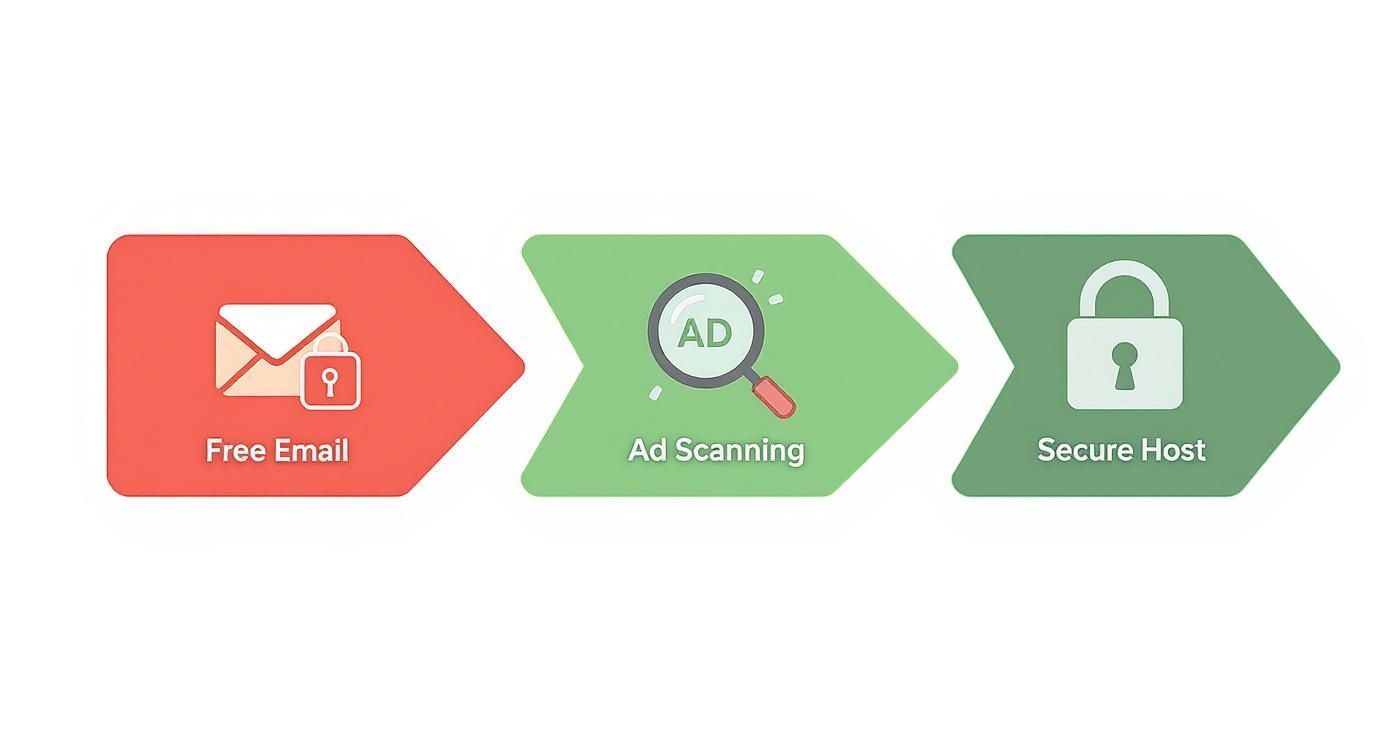
The journey from a free, ad-supported email to a private, secure one is a conscious choice. You're trading the illusion of "free" for genuine privacy and control over your communications.
The DNS Records That Make Email Work
Think of your domain's DNS settings as the internet's public address book. For email to function correctly, four specific records work together to ensure your messages are secure, authenticated, and delivered. The good news is that most quality email hosts will give you the exact values you need to copy and paste into your domain registrar's settings.
These records are MX, SPF, DKIM, and DMARC. They sound technical, but their jobs are surprisingly straightforward: they tell servers where to send your email and prove it really came from you.
Pointing Mail to Your New Inbox
The first and most fundamental record is the MX (Mail Exchanger) record. Its only job is to tell the internet where your email server is located.
Without a proper MX record, incoming emails have no delivery address. It’s like having a package with your name on it but no house to deliver it to. Setting this up correctly is the very first step to actually receiving messages at your new professional address.
Building Trust with SPF, DKIM, and DMARC
While MX records handle incoming mail, the other three are all about authenticating your outgoing messages. They work as a team to stop spammers and phishers from faking your email address, which protects your reputation and drastically improves deliverability.
-
SPF (Sender Policy Framework): This is essentially a public list of all the servers authorized to send email for your domain. When an email arrives, the receiving server checks this list. If the sender isn't on it, the email is flagged as suspicious.
-
DKIM (DomainKeys Identified Mail): This adds a unique, encrypted digital signature to every email you send. Think of it as a tamper-proof seal on an envelope—it proves the message hasn't been altered on its way to the recipient.
-
DMARC (Domain-based Message Authentication, Reporting, and Conformance): DMARC is the enforcer. It tells receiving mail servers what to do if a message fails the SPF or DKIM checks. You can instruct them to quarantine it in the spam folder or reject it entirely, shutting the door on impersonators.
If you’re serious about your professional email, setting these up isn’t optional. They are the technical foundation of email trust.
Properly configured email authentication records are your best defense against the spam folder. They send a powerful signal to providers like Gmail and Outlook that your emails are the real deal and deserve to be delivered.
Getting this right from the start is a game-changer. We've put together a step-by-step tutorial to walk you through the process in our real-world guide to email authentication that actually works.
Why a Privacy-First Host Is Your Best Security Ally
Your choice of an email provider has a massive impact on your security. A privacy-focused host doesn't just give you an inbox; they provide a secure environment, far removed from the data-mining and ad-scanning that fuels free services. This is a non-negotiable part of creating a professional email address for secure business communications.
Beyond just choosing a good host, establishing clear internal rules, like an email communication security policy, ensures everyone on your team handles sensitive information with care.
A quality host will also offer security features that work hand-in-hand with your DNS records to create multiple layers of defense.
| Security Feature | How It Protects You |
|---|---|
| Advanced Spam Filtering | Uses intelligent algorithms to catch phishing attacks and malware before they even have a chance to land in your inbox. |
| Two-Factor Authentication (2FA) | Requires a second verification step to log in (like a code from your phone), making it nearly impossible for hackers to get in. |
| Encrypted Storage | Scrambles all your stored emails on the server, protecting your data even if the physical hardware is ever compromised. |
When you combine these features with a solid DNS configuration, you create a fortified email setup. This ensures your professional communications are not only delivered reliably but are also protected from the most common cyber threats out there.
Advanced Tips for Daily Email Management
https://www.youtube.com/embed/oLdHnWLbn4A
Now that you've got your secure, professional email address and all the behind-the-scenes authentication set up, the real work begins. Your focus can shift from the technical nitty-gritty to actually using your new email in a way that builds your brand and protects your privacy. The daily habits you build from here on out are just as important as the foundation you've laid.
One of the most effective tools you have is the email alias. Think of an alias as a simple forwarding address that sends emails to your main inbox. This incredibly simple feature can make a one-person shop or a small team look like a much larger, more established company.
For instance, instead of channeling everything through jane@mysmallbiz.com, you could set up aliases like support@mysmallbiz.com or billing@mysmallbiz.com. When a client messages one of these, the email still lands in your inbox. But from their perspective, they're interacting with a structured, professional organization. It’s a subtle touch that instantly boosts credibility.
Crafting a Professional Email Signature
Every email you send is an opportunity. Your signature is your digital business card, and it's working for you 24/7. The goal is to strike the perfect balance—give people the info they need without creating a cluttered mess at the bottom of your message.
A great signature is clean, simple, and looks good on a phone. Stay away from large images, fancy fonts, or a rainbow of colors. They often look amateurish and can break on different email clients. Just stick to the essentials:
- Your Full Name and Title: Let them know who you are and what you do.
- Your Company Name: Keep your brand front and center.
- A Link to Your Website: Make it effortless for them to find out more.
- Your Phone Number (Optional): Only include this if you actually want people to call you.
Less is more. A clunky, over-designed signature gets in the way of your message and is a pain to read on a mobile device.
User-Side Security: Your Daily Habits
A professional email address isn't just about setup; it's about maintaining secure habits every single day. You can have the best server-side security in the world, but one moment of carelessness can undo it all. Your personal actions are the final, and most critical, line of defense for your email privacy.
The single most important security practice you can adopt is enabling two-factor authentication (2FA). This isn't optional—it's essential. 2FA adds a second layer of security, usually a code from an app on your phone, that you need in addition to your password. It means that even if a thief steals your password, they still can't get into your account.
Turning on 2FA is the digital equivalent of adding a deadbolt to your front door. It’s a simple, incredibly powerful step that stops the vast majority of takeover attempts cold.
Recognizing and Avoiding Phishing Attempts
Once you have a professional email, you automatically become a more appealing target for phishing scams. These are fake emails cleverly disguised to look like they're from a trusted source, designed to trick you into giving up passwords or financial details. A 2023 report found that phishing was a factor in over 40% of all reported data breaches.
Modern phishing emails can be alarmingly convincing, often using your name and creating a false sense of urgency. Here’s how to stay sharp:
- Check the Sender's Real Address: Don't just look at the name. Hover your mouse over the sender to reveal the full email address. Scammers often use domains that are just one or two characters off from the real thing.
- Never Click Urgent Links: If you get an unexpected email from your bank, Dropbox, or any other service asking you to log in to fix a problem, don't use the link. Open a new browser tab, go to the official website yourself, and log in there.
- Watch for Red-Flag Language: Phishers love to create panic. Be suspicious of any email with subject lines like "Your Account Will Be Suspended" or "Urgent Action Required."
Handling Sensitive Information Responsibly
Finally, being a true professional means treating client and business data with the respect it deserves. Email is fast and convenient, but it's not the place for highly sensitive files.
When you need to send contracts, financial records, or documents with personal ID information, use a secure file-sharing service instead. Many privacy-first email hosts like Typewire have built-in secure options or can recommend best practices. Your goal is to build a reputation as someone who can be trusted with important information. It's these daily practices that truly define your professionalism, far more than just the email address itself.
Frequently Asked Questions
Setting up a professional email for the first time naturally comes with a few questions. I get it—you're thinking about cost, compatibility, and whether the technical side is going to be a headache. Let's clear up some of the most common questions I hear so you can move forward with confidence.
Can I Still Use Outlook Or Apple Mail?
Yes, absolutely. This is one of the biggest reliefs for most people. A good, private email host isn't trying to lock you into their own clunky web app. They use standard, universal protocols (like IMAP and SMTP) that play nicely with pretty much every email client out there.
That means you can keep using the desktop and mobile apps you're already comfortable with, whether it's Outlook, Apple Mail, or Thunderbird. Your new provider will simply give you the server settings to plug in, and you'll be managing your new professional address right alongside your old ones without missing a beat.
What's The Real Cost Of A Professional Email Address?
The total cost really boils down to two things: the domain name itself and the email hosting service.
- Your Domain Name: This is your
yourbrand.com. A typical.com,.net, or.orgdomain will run you somewhere between $10 to $20 per year. That's a fixed, annual cost. - Email Hosting: This is where you pay for the actual service—the secure, ad-free inbox. Plans usually range from $1 to $10 per user, per month.
So, you're looking at a small monthly investment for the hosting, plus the annual domain fee. When you think about the credibility, security, and privacy you gain, it's easily one of the smartest, most affordable investments you can make in your professional image.
Think of it this way: you're not just paying for an email address. You're investing in your brand's security and trustworthiness. Stepping away from free services that scan your data is a fundamental move for any serious professional or business.
Is Moving All My Old Emails A Huge Pain?
It's usually much easier than you think. Any reputable email host knows you can't just abandon years of important conversations, so they build tools to make the switch as smooth as possible.
Most providers have automated migration tools that do the heavy lifting for you. You just connect them to your old account (like Gmail or Outlook), and they'll pull over all your old emails, contacts, and sometimes even your calendars. They also have step-by-step guides and support teams on standby, because they handle this exact situation every single day. It’s a well-trodden path.
What’s The Difference Between Email Hosting And Web Hosting Anyway?
This is a really common point of confusion, but the distinction is crucial for both performance and security. Think of them as two different specialists.
Web hosting is where your website lives. It’s the server space that stores your site's files and makes them available for people to see online. Email hosting, on the other hand, is a dedicated service that does one thing and does it exceptionally well: it manages the sending, receiving, and storage of your email.
While a lot of web hosts throw in "free" email as part of a package, it's almost always a bare-bones offering that lacks the robust security and deliverability features of a dedicated service.
| Service | Primary Job | What You Get |
|---|---|---|
| Web Hosting | Stores and serves website files. | Website builders, server space, databases. |
| Email Hosting | Manages your email communication. | Advanced spam filters, encryption, authentication. |
By separating the two, you get better security, much higher reliability, and features built specifically for professional communication. It also means if your website ever has a problem, your email—your business's lifeline—keeps running without interruption.
Ready to build a professional email address on a platform that puts your privacy first? With Typewire, you get secure, ad-free email hosting with your own custom domain. Start your 7-day free trial and take control of your communications today.
The post How to Create Professional Email Address: Setup, Security, and Privacy appeared first on Typewire.
How to Create Professional Email Address: Setup, Security, and Privacy
Posted: 2025-12-01
How to Whitelist an Email Address (So You Stop Missing Messages)
Posted: 2026-10-06
Email Bounce Explained: Soft vs Hard Bounces & How to Fix Them
Posted: 2026-10-02
Which Secure Email Provider Fits Your Workflow? 10 Options by Use Case
Posted: 2026-09-29
Personal Data Privacy: Why Your Email Is the Master Key to Your Digital Life
Posted: 2026-09-24
Secure Email Gateway Guide: Do You Need One?
Posted: 2026-09-23
Average Email Deliverability Rate: 2026 Benchmarks
Posted: 2026-09-18
Phishing vs Spam: What’s the Difference?
Posted: 2026-09-15
PIPEDA vs GDPR Key Differences for Businesses
Posted: 2026-09-11