A Practical Guide on How to Send Email Encrypted for Total Privacy
Sending a standard email is like mailing a postcard. Anyone who handles it on its journey—from your internet provider to the recipient's—can glance at the contents. When you send email encrypted, you're putting that postcard inside a locked metal box that only the intended recipient has the key to open.
This shift transforms your communication from a public whisper into a truly private conversation, securing your data from prying eyes.
Why Encrypting Your Email Is Essential for Your Privacy
Not too long ago, email encryption felt like something reserved for spies or tech enthusiasts. That's not the world we live in anymore. Today, it’s a fundamental tool for anyone who values their email privacy and security. The risks of sending unencrypted messages aren't theoretical; they're daily threats to personal and business information.
This shift is a direct result of the explosion in digital threats. We're all aware of massive data breaches and clever phishing scams, and an unencrypted inbox is a goldmine for attackers. It’s full of everything from financial statements and personal photos to sensitive business contracts and login details, all vulnerable without proper email security.
The Growing Demand for Real Email Privacy
Consider these everyday situations where the need to send email encrypted becomes critical for protecting sensitive information:
- Small Business Owners: You're juggling confidential client data, invoices, project plans, and strategy documents. A single intercepted message can lead to devastating financial loss or a complete breach of client trust.
- Journalists and Activists: Your work depends on secure communication to protect sources and coordinate safely. For you, an unencrypted email isn't just a privacy risk; it can put people in real danger.
- Healthcare Professionals: Operating under strict privacy laws like HIPAA, sending patient information over email without encryption isn't just a bad idea—it's a serious compliance violation that compromises email security.
These examples all point to the same rule: if the information is too private to announce in a crowded coffee shop, it needs the protection of encryption.
The uncomfortable truth is that standard emails are scanned by machines at nearly every stop. Automated systems analyze your messages for keywords to target you with ads, profile your behavior, and filter for spam. Encryption is the only real way to reclaim your email privacy from this constant surveillance.
Responding to a New Digital Reality
This growing demand for email privacy isn't a niche movement; it's a global trend. The email encryption market is expanding rapidly, signaling a collective wake-up call for better email security. By 2025, the global email encryption market is projected to be worth around USD 9.30–9.31 billion, a boom fueled by the relentless rise in data breaches and sophisticated business email compromise (BEC) attacks. You can read more about the market forces driving email security adoption.
This guide provides a clear roadmap to protect your digital conversations. We'll focus on the two main approaches: easy-to-use hosted email platforms that handle encryption for you, and powerful, self-managed tools that put you in complete control of your email privacy.
Choosing Your Path to Email Privacy
So, you’ve decided you need to send email encrypted. Great. The first choice is between hosted secure email services that do the heavy lifting for you and self-managed solutions where you control the encryption yourself.
Your choice here defines your approach to private communication. Neither is inherently "better"—they just serve different needs. A journalist protecting a source has a different threat model than a small business securing client files. Let's break down what each path looks like.
Hosted Secure Email Platforms
Think of hosted platforms as the "all-in-one" solution for email privacy. Services like ProtonMail, Tutanota, and our own Typewire have built encryption into the core of their service. You sign up for an account, and the platform handles all the complexities, like managing encryption keys, in the background.
The appeal is simplicity. Sending a secure email to another user on the same platform feels exactly like sending a normal email. It just works, seamlessly enhancing your email security.
When you email someone on a standard service like Gmail, these hosted email platforms use a clever workaround. They send the person a link to a secure web portal where they enter a password (that you provide separately) to read your message.
Key benefits of hosted email platforms include:
- Ease of Use: You don’t need to be a cryptography expert. The service is user-friendly.
- Integrated Privacy: Often, you get an encrypted address book, calendar, and cloud storage in one secure suite.
- Cross-Platform Access: Secure mobile apps and web clients ensure your private messages are always accessible.
The trade-off is trust. You're trusting the provider to implement their "zero-knowledge" architecture correctly, meaning even they can't read your emails. For most people seeking better email privacy, this is a perfectly acceptable trade-off for convenience.
Self-Managed End-to-End Encryption
The other route is the do-it-yourself (DIY) approach, which almost always means using Pretty Good Privacy (PGP). When you go this route, you’re in charge. You generate your own cryptographic keys and use a plugin with an email client you already use, like Thunderbird or Outlook.
This path requires more technical effort. You'll be responsible for creating your key pair, distributing your public key, and ensuring your private key is never compromised.
The power of self-managed encryption is its trustless foundation. You aren't trusting a company's privacy policy; you're trusting proven mathematics. This gives you profound ownership over your email privacy.
This method is the gold standard for people with extreme security needs or anyone who prefers not to rely on a third-party hosted service. The challenge is that the entire burden of security and usability rests on your shoulders.
Secure Email Platforms vs. Self-Managed Encryption
Making the right call comes down to balancing convenience against control. This table breaks down the differences to help you decide which path best fits your email security and privacy needs.
| Factor | Hosted Secure Email (e.g., ProtonMail) | Self-Managed Encryption (e.g., PGP) |
|---|---|---|
| Setup Complexity | Low. As simple as creating a new email account. | High. Requires software installation, key generation, and client configuration. |
| Ease of Use | Very high. Encryption is automatic for on-platform messages. | Moderate. Requires manual steps to encrypt, decrypt, and sign messages. |
| Recipient Experience | Simple. Non-users view messages in a secure web portal. | Complex. The recipient must also use PGP and have your public key. |
| Control Over Keys | Provider-managed. You trust the platform's security architecture. | Absolute. You are solely responsible for your keys. |
| Best For | Individuals and businesses seeking a simple, effective privacy solution without a steep learning curve. | Tech-savvy users, journalists, activists, or anyone needing maximum control over their email security. |
Ultimately, how you send email encrypted is a personal decision. If you want strong security that works right out of the box, a hosted email platform is a fantastic choice for enhancing your email privacy. But if you demand absolute sovereignty over your digital life, PGP offers unmatched control.
Sending Encrypted Messages with a Secure Email Provider
If you want to send email encrypted without getting bogged down in technical details, a hosted secure email provider is your best bet. These platforms are designed for privacy and security, making robust encryption accessible to everyone. They handle all the heavy lifting behind the scenes, ensuring your communications remain confidential.
This approach is a complete departure from how traditional email works. Instead of storing your messages as plain text, providers like ProtonMail or our own Typewire use zero-knowledge encryption. This means your emails are encrypted on your device before they travel over the internet, and only you hold the key to unlock them. This architecture is central to true email privacy.
The user experience is seamless. When emailing someone who uses the same hosted platform, the encryption is automatic. You just write your message and hit send. No plugins, no extra steps.
How Hosted Platforms Securely Connect to Regular Email
What happens when you need to send a secure message to someone on Gmail or Outlook? This is where hosted email platforms excel. They can't send a fully encrypted email because the recipient's inbox wouldn't be able to decrypt it.
Instead, they use a secure workaround. Your encrypted message remains on the provider's server. Your recipient gets a notification email with a unique, secure link. Clicking that link opens a private web portal where they enter a password you've shared with them separately—perhaps over a phone call or secure chat app.
This simple system keeps your message end-to-end encrypted, even when the recipient isn't using a dedicated secure service.
Here’s a look at the ProtonMail interface, a great example of the clean, modern design you can expect from these privacy-focused platforms.
As you can see, switching to a privacy-first provider doesn't mean sacrificing a polished user experience.
A Practical Scenario: Ensuring Client Privacy
Let's walk through a real-world example. A therapist needs to send confidential session notes to a new client with a standard Gmail account. This information is highly sensitive, so sending a regular email is not an option for maintaining professional email security and privacy.
Here’s how the therapist would handle it with their hosted secure email service:
- Compose the Message: The therapist logs into their secure account, writes the message, and attaches the notes.
- Encrypt for an External Recipient: Before sending, they click a lock icon to set a password for the message. This protects it for an outside recipient.
- Share the Password Out-of-Band: This step is critical for security. The therapist calls the client or sends a text via a secure app like Signal to share the password. Never send the password in another email.
- Send the Secure Email: The email is sent. The client receives a notification in their Gmail inbox.
- The Client Accesses the Message: The client clicks the link, enters the password on the secure web page, and can then read the message and download the notes privately.
This password-protected link system is what makes hosted email platforms so practical. It lets you maintain email privacy and communicate securely with anyone, regardless of their email service.
Picking the right provider is an important first step. To see how the top options stack up, take a look at our guide to the 7 best encrypted mail services for privacy in 2025.
By using a hosted secure email service, the therapist can confidently send email encrypted, meeting their professional duty to protect client privacy with a powerful and simple tool.
Taking Control with PGP End-to-End Encryption
If you're ready to move beyond relying on a provider and want to take full command of your email security, it's time to talk about Pretty Good Privacy, or PGP. This is the gold standard for a hands-on approach to how you send email encrypted. It's a completely decentralized system that puts you—and only you—in charge of the keys to your digital kingdom.
Instead of a company managing your security, you become the gatekeeper. That might sound intimidating, but the concept behind it is elegant. PGP is built on public-key cryptography, which gives you a pair of mathematically linked digital keys.
Understanding Your PGP Key Pair
Think of it like having two different keys for the same lock. One is your public key, which you can think of as a secure, open mailbox slot. You can share this key with anyone. People use your public key to lock (encrypt) a message that only you can open.
The other key is your private key. This is the master key to your digital safe, and you must guard it carefully. You use this private key to unlock (decrypt) any message secured with your public key.
- Public Key: Share this one freely. Your contacts use it to encrypt messages for you.
- Private Key: Keep this one secret. You use it to decrypt messages sent to you.
This two-key system is what gives PGP its power. Even if a message is intercepted, it will look like meaningless jumble to anyone without your unique private key. To learn more about the mechanics, our guide on symmetric and asymmetric key encryption in email breaks down the technical magic.
Setting Up PGP with Your Email Client
To use PGP, you don't need a new email address. You integrate it with your existing email client by installing a plugin or add-on.
The most common and trusted setup is using Mozilla Thunderbird with its built-in OpenPGP feature. It's a seamless experience. For Outlook users, a great option is Gpg4win, which comes with the GpgOL plugin.
Let's stick with Thunderbird, as it's the most straightforward path. Once installed, you'll generate your key pair through a simple wizard. You'll create a strong passphrase, which acts as a final layer of defense for your private key.
The process of securing your message happens right on your device before it ever hits the internet, ensuring true end-to-end email security.
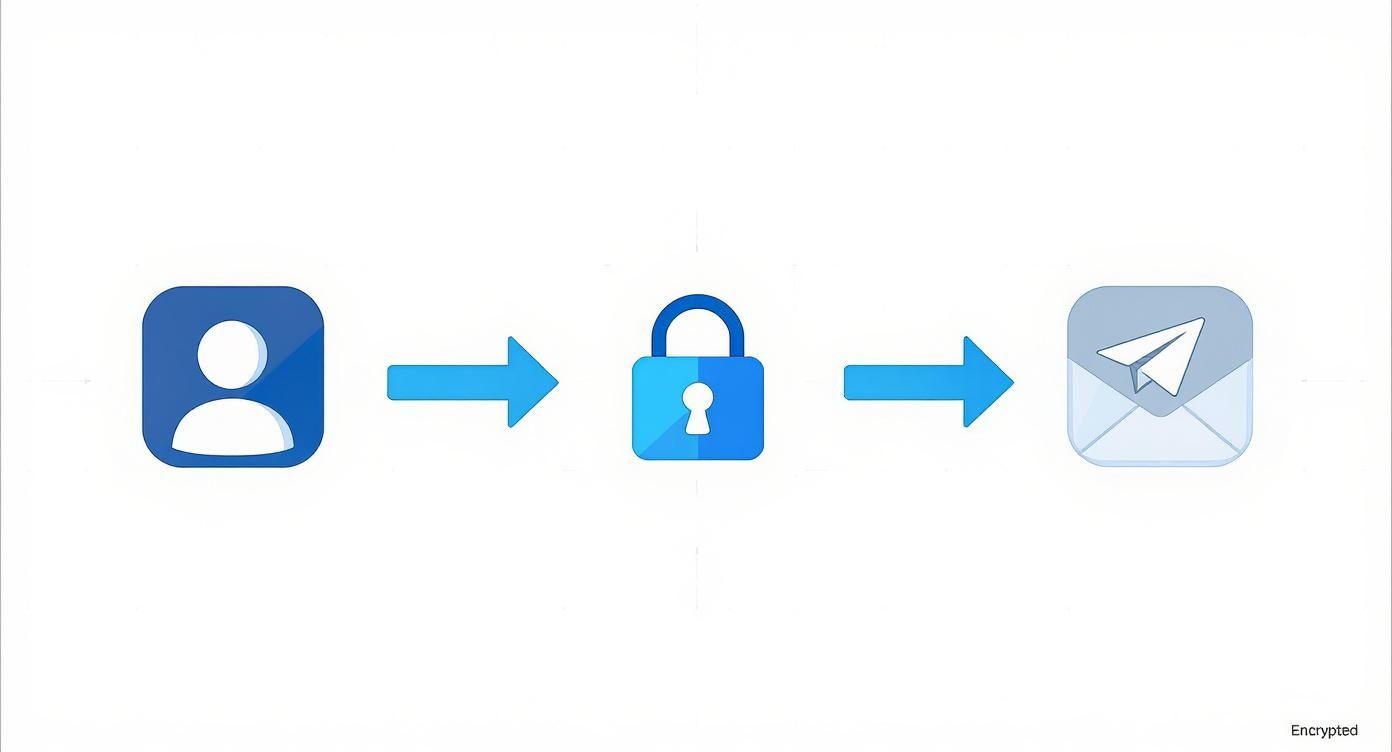
As you can see, the encryption step is a crucial part of the process, locking down your communication before you hit "send."
Sharing Keys and Building Your Web of Trust
So you have your key pair. Now what? The next step is securely exchanging public keys. To send email encrypted to a colleague using PGP, you first need a copy of their public key, and they need yours to send a secure reply.
You can share your public key by attaching it to an email or by uploading it to a public keyserver, which acts like a digital phonebook for PGP keys.
But just having a key isn't enough. How can you be sure it belongs to your colleague and not an impostor? This is where the "web of trust" and digital signatures come in.
With PGP, you are the final authority. You don't trust a central company to verify identities; you build trust through personal verification. This is a fundamental shift in mindset from traditional security models.
A digital signature is another powerful function of your private key. When you "sign" an email, you're creating a unique cryptographic proof that verifies two things:
- Authenticity: The message genuinely came from you.
- Integrity: The message wasn't tampered with.
When you trust a person's key, you can sign it with your own private key, vouching for its authenticity. Over time, you build a network of trusted, verified keys—your "web of trust"—making your communications more secure with every connection.
The Real-World Challenges of PGP
As powerful as PGP is, it isn't without challenges. The biggest hurdle is usability. Convincing contacts to go through the setup process can be difficult. If your recipient doesn't use PGP, you simply can't have an end-to-end encrypted conversation.
Key management is another huge responsibility. If you lose your private key, you lose access to every encrypted message sent to you—permanently. There’s no "forgot my password" link. If your private key is stolen, an attacker could potentially decrypt all your messages. This is why creating a "revocation certificate" is critical; it’s an emergency switch that lets you publicly declare a key invalid if it's compromised.
Despite the learning curve, mastering PGP is rewarding for anyone serious about digital privacy. It gives you a robust framework to send email encrypted entirely on your own terms.
Beyond Encryption: Essential Habits for Total Email Security
Flipping the switch to send email encrypted is a massive win for your email privacy, but it’s not the whole story. Real, lasting email security is a collection of smart, everyday habits that safeguard your entire digital life. Think of encryption as the high-tech vault door—incredibly strong, but pointless if you leave the windows unlocked.
These habits create layers of protection around your encryption, closing off common vulnerabilities that could undermine your hard work.
Fortify Your Account Access
The first weak point is your email account password. Using a weak or reused password is the simplest way for an intruder to bypass your sophisticated encryption setup.
Your password must be:
- Unique: Never recycle a password from another service.
- Strong: Use a long, complex mix of uppercase and lowercase letters, numbers, and symbols. A password manager is the best tool for this.
Once your password is solid, you must enable multi-factor authentication (MFA). This is one of the most powerful email security upgrades you can make. MFA demands a second piece of proof—usually a code from an authenticator app on your phone—before granting access. Even if a thief steals your password, they're stopped without your phone. Dive into our guide to multi-factor authentication email security to get it configured right.
Understand What Encryption Does Not Cover
Here's a critical detail: end-to-end encryption usually only protects the body of your email and attachments. A surprising amount of data, known as metadata, is sent in the clear, impacting your overall email privacy.
This unprotected metadata often includes:
- Your email address (who sent it)
- The recipient's email address (who it's for)
- The subject line
- The timestamp of when it was sent
An eavesdropper can learn a lot from this metadata, like who you communicate with and when. To counter this, keep your subject lines deliberately vague. Instead of "Confidential Merger Documents," use something boring like "Following Up."
Practice Good Key Hygiene
If you're using a system like PGP, that private key is the crown jewel of your digital identity. Guarding it is non-negotiable. "Key hygiene" is about keeping your keys safe over their entire lifecycle.
Good key hygiene is a discipline. Treat your private key with the same seriousness as your passport and bank cards. A compromised key can unravel years of secure communication.
Make it a habit to review and revoke old keys. This shrinks your "attack surface." And always have a revocation certificate stored safely offline. That way, if you suspect your key has been stolen, you can invalidate it immediately.
Responsible data management is increasingly a legal requirement. Regulations like GDPR mandate strong technical safeguards, making the need to send email encrypted a business necessity.
A comprehensive security strategy also involves protecting against internal risks. For a deeper look, check out an ethical proactive guide to preventing insider threats. By weaving these habits into your routine, you build a resilient security posture that enhances your email privacy.
Got Questions About Encrypted Email? We’ve Got Answers.
When you first start encrypting your emails, a few questions always come up. Getting the hang of new security tools often means running into a few head-scratchers, but the practical side is usually simpler than it seems.
Let's walk through some of the most common questions about email privacy and security.
What Happens if I Send an Encrypted Email to Someone Who Doesn't Use It?
This is a common question, and the answer depends on your tool.
If you’re on a hosted secure email platform like Typewire, it's simple. Your recipient gets an email with a secure link. They click it, enter a password you shared with them separately, and can read your message in their browser. It's an easy way to maintain email privacy with anyone.
However, if you're managing your own PGP setup, it's different. You cannot send a PGP-encrypted message to someone unless you have their public key. The system is built on that key exchange. If they don't have one, you’ll have to send a regular, unencrypted email.
Does Email Encryption Hide Who I Am or Where I Am?
No. This is a crucial point for understanding email privacy. Email encryption protects the content of your message—the words and attachments. It ensures no one can snoop on your conversation.
It does not hide the metadata, which is information about the email:
- Your email address and your recipient's
- The subject line
- The IP address you sent it from (which can reveal your location)
- The timestamp
To achieve anonymity, you would need to layer your encrypted email with other privacy tools, like a reputable VPN or the Tor network.
Remember: Encryption protects what you're saying, but not the fact that you're saying it or who you're talking to.
Can I Do All This On My Phone?
Absolutely. The days of needing a desktop to send email encrypted are over. Every major hosted secure email platform has dedicated apps for iOS and Android that handle encryption for you, making mobile email security just as easy as on a desktop.
Even for the DIY PGP crowd, mobile is a solved problem. Android users have fantastic tools like OpenKeychain, which pairs with email clients like K-9 Mail to give you full PGP power. You can keep your communications private while on the move.
Ready to take back control of your inbox with a platform that prioritizes your privacy from the ground up? Typewire offers secure, private email hosting with zero tracking and zero ads. Explore our features and start your free 7-day trial today.
A Practical Guide on How to Send Email Encrypted for Total Privacy
Posted: 2025-12-06
What Is DMARC? Simplify Email Security
Posted: 2026-06-19
Email Blacklist Check: Restore Your Deliverability
Posted: 2026-06-17
Typewire Increases Storage for Pricing Plans: More Space
Posted: 2026-06-13
How to Get a .ca (Canadian) Email Address
Posted: 2026-06-12
Canadian Business Email: Best Options and How to Set It Up
Posted: 2026-06-09
PIPEDA Compliance: What Canadian Businesses Need to Know
Posted: 2026-06-05
What Is CASL? Canada’s Anti-Spam Law, Explained
Posted: 2026-06-02
What Is Whaling? How Executive Email Fraud Works
Posted: 2026-05-29