Top 7 Best Email Providers for Privacy in 2025 | Secure Your Inbox
In an era of relentless data harvesting and targeted advertising, your choice of email service is more critical than ever. Mainstream providers like Gmail and Outlook often treat your private conversations as a commodity, scanning them to build advertising profiles. Your inbox is a central hub for your digital life, containing everything from financial statements and medical records to personal correspondence. Choosing the best email provider for privacy is not merely about avoiding spam; it is a fundamental step toward reclaiming ownership of your digital identity.
This guide cuts straight to the chase, offering a detailed, side-by-side comparison of the top secure email services available today, including Typewire, Proton Mail, Tuta, and others. We move beyond surface-level claims to analyze the features that truly matter: end-to-end encryption, zero-knowledge architecture, anonymous signup options, and jurisdiction. Understanding how these services operate is crucial for protecting your data from surveillance and breaches. Many of these providers are based in countries with strong privacy laws, which is a key component of their security promise. For a deeper understanding of the regulatory frameworks that safeguard personal information, exploring a guide on GDPR compliance and data protection is highly beneficial.
This comprehensive roundup is designed to help you find the ideal platform for your specific needs, whether you're an individual user, a small business owner, or an IT professional. Each profile includes a breakdown of security features, usability, pricing, and direct links with screenshots to help you visualize the experience. We'll equip you with the actionable insights needed to select a provider that prioritizes your security by design, not as an afterthought.
1. Typewire
Typewire positions itself as a formidable choice for the best email provider for privacy, delivering a robust, independently-hosted solution for users who demand absolute control over their digital communications. It is designed from the ground up to eliminate the data mining, tracking, and advertising that have become standard practice for mainstream email services. This commitment to user sovereignty makes it a compelling option for both privacy-conscious individuals and businesses.
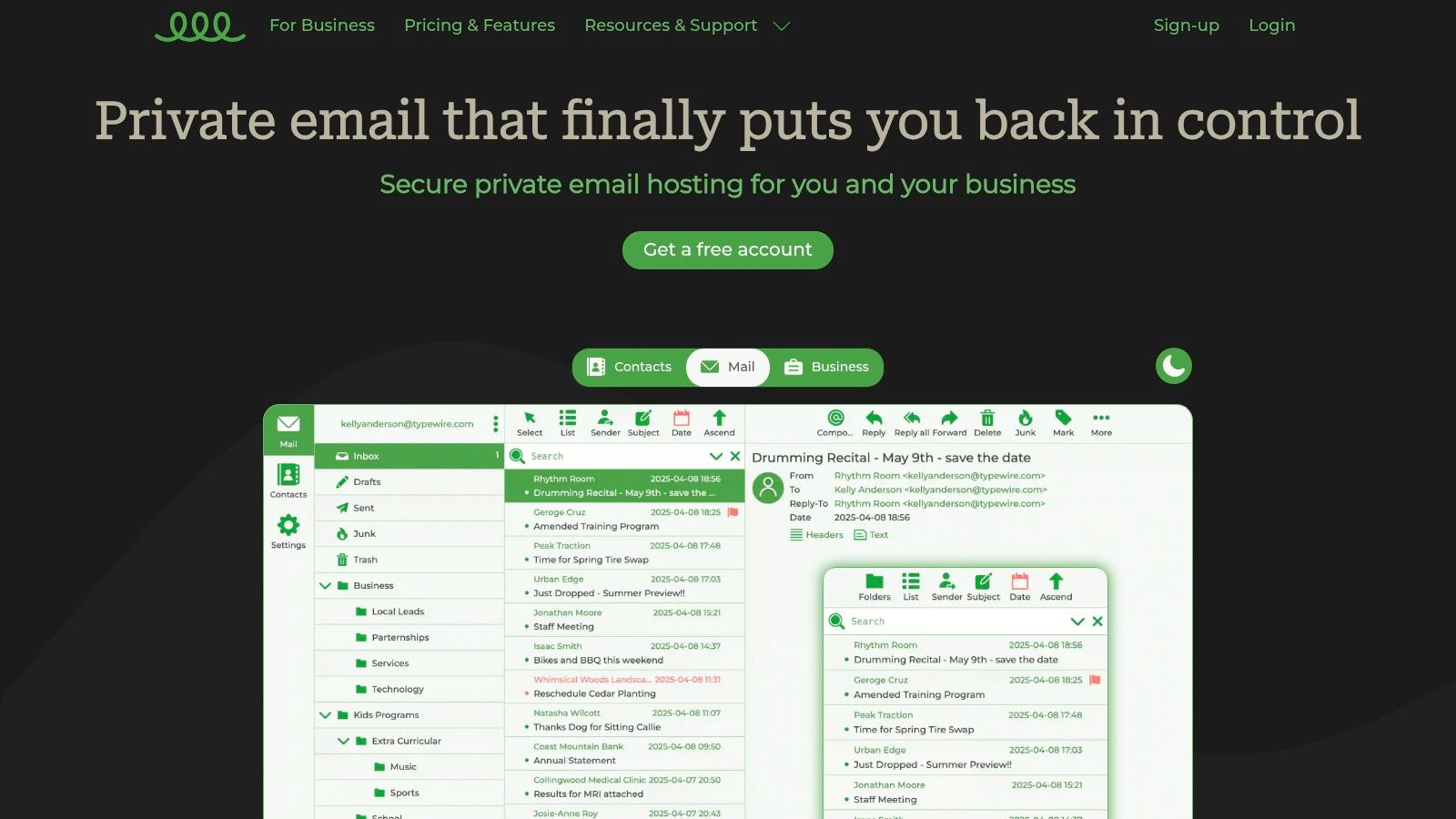
What truly sets Typewire apart is its foundational infrastructure. Unlike many competitors that rely on third-party cloud services like AWS or Google Cloud, Typewire operates on its own privately owned and managed data centers located exclusively in Vancouver, Canada. This provides an additional layer of physical and digital security, ensuring your data is governed by Canadian privacy laws and insulated from the broad reach of foreign data-sharing agreements.
Core Features and Capabilities
Typewire’s feature set is built around three pillars: security, privacy, and usability. The platform ensures your data remains yours alone, with a strict zero-tracking and no-ads policy.
- Independent Infrastructure: By owning its hardware and network, Typewire minimizes external dependencies and potential security vulnerabilities, offering a level of control few other providers can match.
- Custom Domain Support: A crucial feature for businesses and professionals, Typewire allows you to use your own domain, reinforcing your brand identity while benefiting from its secure email environment.
- Advanced Threat Protection: The service integrates powerful anti-spam and anti-virus filters that are highly effective at blocking malicious emails and junk mail, creating a cleaner and safer inbox experience.
- Intuitive User Experience: The web interface is clean, fast, and responsive. It includes modern conveniences like light and dark modes, ensuring a comfortable and efficient workflow without a steep learning curve. The streamlined design makes it easy for users migrating from services like Gmail or Outlook to adapt quickly.
- Team Management: For business users, Typewire offers straightforward tools to add, remove, and manage team member accounts, making it a scalable solution for growing organizations.
Who is Typewire Best For?
Typewire is an excellent fit for users who prioritize data sovereignty above all else. Its privately-owned infrastructure makes it a standout choice for journalists, activists, legal professionals, and businesses that handle sensitive client information. Small to medium-sized businesses will find the custom domain support and easy user management particularly valuable, allowing for professional communication without compromising on privacy.
Practical Tip: When setting up your Typewire account, take full advantage of the 7-day free trial. Use this period to test the migration tools by importing a small batch of emails from your old provider. This allows you to evaluate the platform’s performance and user interface before fully committing.
Pricing and Availability
Typewire offers a tiered pricing model that includes free, basic, and premium plans to cater to different needs. However, specific pricing details are not publicly listed on their main page. To get exact costs, you will need to explore the plans on their website or contact their 24/7 customer support. This approach allows them to tailor solutions but may be a minor hurdle for those who prefer upfront cost comparisons.
| Pros | Cons |
|---|---|
| Complete data control with a zero-tracking, no-ads guarantee. | Pricing details are not publicly disclosed on the homepage. |
| Hosted on privately owned Canadian data centers for enhanced privacy. | Lacks the extensive cloud integrations of mainstream providers. |
| Highly effective anti-spam and virus filters. | |
| Flexible plans for individuals and teams with custom domain support. | |
| Modern, fast, and user-friendly web interface with light and dark modes. |
Ultimately, Typewire earns its place as a top-tier private email provider by delivering on its core promise of security and control. Its independent infrastructure is a powerful differentiator that provides peace of mind in an era of rampant data collection.
2. Proton Mail (Proton)
Proton Mail, often just called Proton, is a powerhouse in the privacy space, extending far beyond just secure email. Developed by scientists who met at CERN, its foundation is built on a deep commitment to privacy and security, legally reinforced by its base in Switzerland. This jurisdiction means your data is protected by some of the world's strictest privacy laws, placing it outside of US and EU surveillance agreements.
Proton's standout feature is its comprehensive privacy ecosystem. Signing up for Proton Mail gives you access to Proton Calendar, Proton Drive, and Proton VPN, creating a seamless, encrypted alternative to the Google or Microsoft suites. This makes it an excellent choice for users looking to de-google their lives without sacrificing functionality. All of Proton's apps are open-source and have undergone independent security audits, providing a verifiable layer of trust.
Key Security Features and Usability
Proton employs robust encryption methods to protect user data. Emails between Proton users are automatically end-to-end encrypted. For communicating with non-Proton users, you can send password-protected emails that expire, ensuring the message content remains confidential even after it leaves Proton's servers.
- Zero-Access Encryption: Proton cannot decrypt and read your emails or access your files, ever.
- Proton Bridge: This application allows you to use your Proton Mail account with popular third-party email clients like Outlook, Thunderbird, and Apple Mail on your desktop while maintaining its zero-access encryption.
- PhishGuard: Advanced phishing protection helps identify and flag suspicious emails, protecting you from malicious links and attachments.
- Dark Web Monitoring: Paid plans include a service that alerts you if your email address appears in data breaches discovered on the dark web.
Proton’s user interface is clean, modern, and intuitive, making the switch from services like Gmail feel straightforward. For enhanced account protection, users should enable two-factor authentication. To learn more about this crucial security layer, check out our guide to multi-factor authentication for email security.
Plans and Pricing
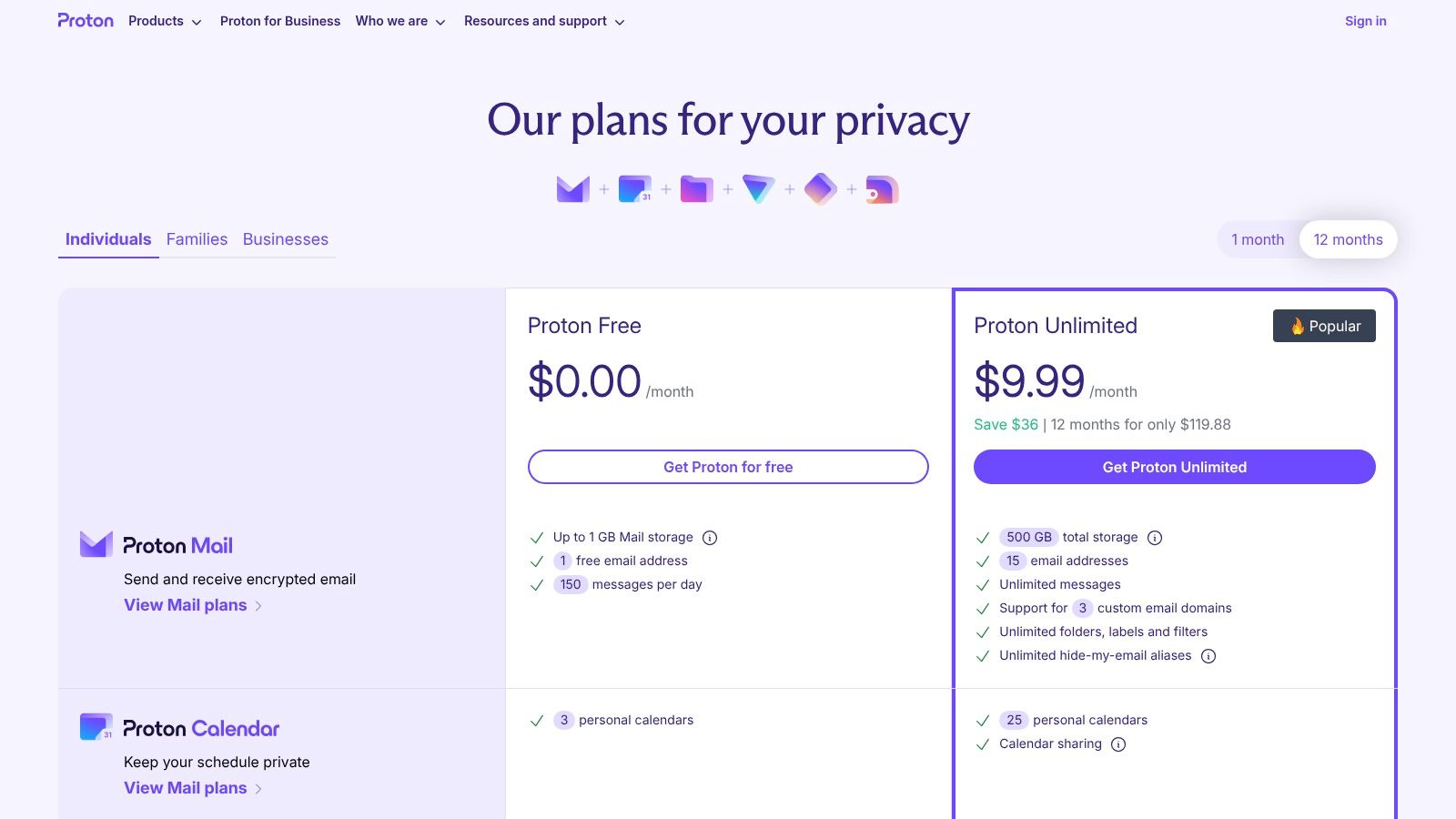
Proton offers a functional free tier, making it one of the best email providers for privacy for those on a budget. However, to unlock its full potential, a paid plan is necessary.
| Plan Tier | Key Features | Best For |
|---|---|---|
| Proton Free | 1 GB total storage, 1 email address, limited support. | Individuals trying out the service. |
| Mail Plus | 15 GB total storage, 10 email addresses, 1 custom domain. | Power users and professionals. |
| Proton Unlimited | 500 GB total storage, 15 email addresses, 3 custom domains, full access to Proton VPN. | Users who want the complete privacy suite. |
Pro-Tip: Proton’s pricing is primarily displayed in Euros (EUR), so the USD price may fluctuate slightly. Consider a one or two-year plan for a significant discount compared to paying monthly.
Website: https://proton.me/pricing
3. Tuta (formerly Tutanota)
Tuta, which was previously known as Tutanota, is a formidable secure email service operating out of Germany. Its core mission is to deliver maximum security and privacy by encrypting the entire mailbox by default. This commitment is supported by its open-source clients and its use of 100% renewable energy for its servers, which are protected by strict German privacy laws. Tuta's zero-knowledge architecture ensures that not even its own team can access your data.
What makes Tuta a unique contender for the best email provider for privacy is its all-encompassing encryption. Unlike many services, Tuta encrypts not just the body of your emails but also the subject lines, your contacts, and your entire calendar. This holistic approach significantly reduces the metadata available to any third party. The service is also actively developing post-quantum cryptography to future-proof user data against emerging threats.
Key Security Features and Usability
Tuta’s security model is built on simplicity and strength. All data stored on its servers is encrypted, and emails sent between Tuta users are automatically end-to-end encrypted. For external communication, users can send password-protected emails to recipients on any service, allowing them to decrypt the message in their browser.
- Total Encryption: Encrypts emails, calendars, and address books, leaving minimal unencrypted metadata.
- Open-Source and Audited: All Tuta clients are open-source, allowing for public security verification and transparency.
- No Third-Party Integrations: By design, Tuta forgoes IMAP/POP3 support to prevent data leakage and maintain its tight security model.
- No Ads or Tracking: Tuta is funded entirely by its users, guaranteeing a completely ad-free and tracking-free experience.
The user interface is clean, fast, and available on all major platforms, including desktop clients for Windows, macOS, and Linux. The focus on a self-contained ecosystem means you manage everything within the Tuta apps. For those new to the concept, you can define encrypted email and its benefits to better understand Tuta's approach.
Plans and Pricing
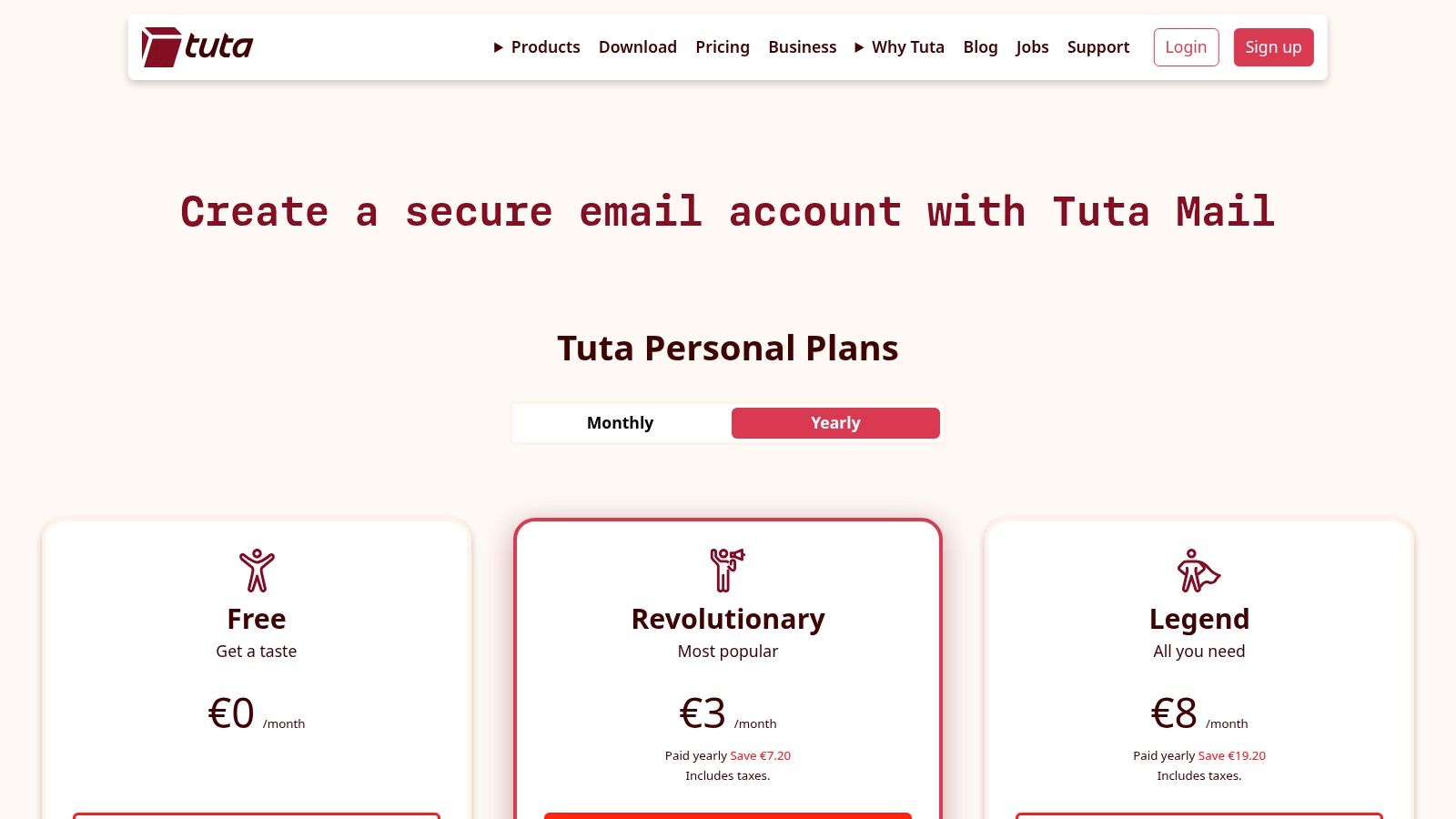
Tuta provides a very competitive free plan, making strong privacy accessible to everyone. Paid plans add powerful features for professional and business use cases.
| Plan Tier | Key Features | Best For |
|---|---|---|
| Free | 1 GB storage, limited search, Tuta domains only. | Individuals who need basic, secure email. |
| Private | 20 GB storage, 15 email aliases, 3 custom domains. | Power users and freelancers. |
| Business | 100 GB storage, 30 email aliases, 10 custom domains. | Small to medium-sized businesses needing professional tools. |
Pro-Tip: Tuta's Business plans include useful collaboration features like shared mailboxes and an out-of-office auto-responder, making it a great privacy-focused alternative to mainstream business email suites.
Website: https://tuta.com/pricing
4. StartMail
StartMail comes from the creators of the private search engine Startpage, bringing the same commitment to user privacy to the world of email. Based in the Netherlands, it operates under the strong consumer data protections of the GDPR. StartMail is designed for users who want robust, easy-to-use encryption without a steep learning curve, making it an excellent choice for those new to PGP or anyone seeking a straightforward, secure email experience.
What makes StartMail a top contender for the best email provider for privacy is its focus on simplifying encrypted communication. While some services require complex setups for PGP, StartMail integrates it directly into its webmail interface. This allows users to send end-to-end encrypted emails with a single click. For recipients who don't use PGP, StartMail offers a seamless alternative with password-protected messages, ensuring confidentiality regardless of the receiver's email client.
Key Security Features and Usability
StartMail's feature set is built around making privacy accessible. It empowers users with granular control over their email identity and security, all from a familiar webmail or IMAP client environment. The service operates on self-hosted servers in the Netherlands, ensuring data is not stored on third-party cloud infrastructure.
- One-Click PGP Encryption: Send fully PGP-encrypted emails to other PGP users without needing external plugins or technical expertise.
- Password-Protected Emails: For non-PGP contacts, you can encrypt a message with a password. The recipient gets a secure link to read the message, which you can share via a separate channel.
- Unlimited Aliases: Create as many temporary or permanent email aliases as you need to protect your primary address from spam and trackers. This is perfect for signing up for newsletters or online services.
- Tracker and IP Protection: StartMail automatically blocks tracking pixels embedded in emails and masks your IP address in outgoing message headers to protect your location and identity.
The user interface is clean and functional, resembling traditional webmail clients, which reduces the learning curve for new users. A key benefit for privacy-focused individuals is the ability to pay for annual subscriptions with Bitcoin, further minimizing the personal data trail associated with your account.
Plans and Pricing
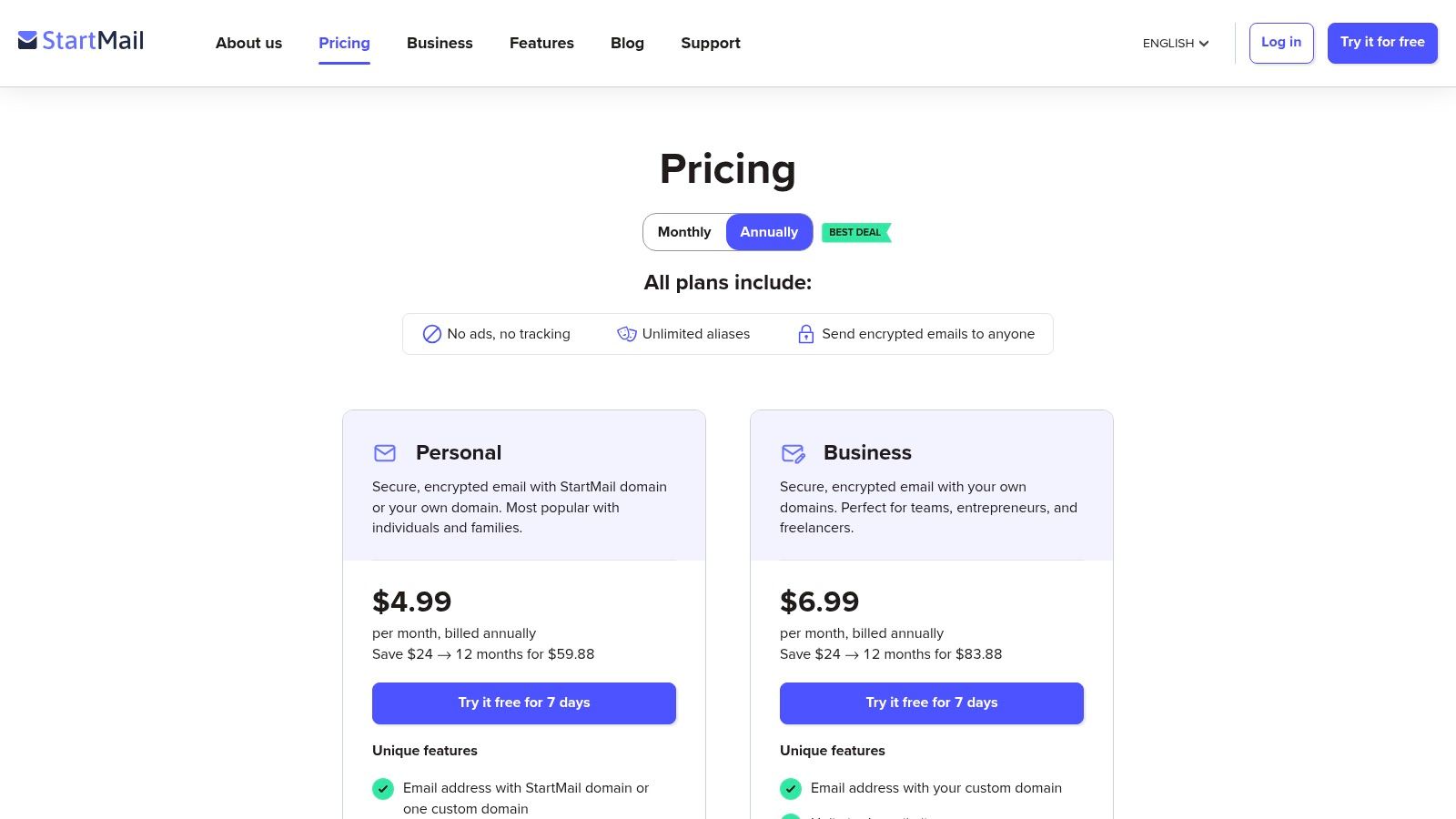
StartMail does not offer a free plan, which reinforces its user-funded, ad-free business model. It provides a 7-day free trial to test its features before committing.
| Plan Tier | Key Features | Best For |
|---|---|---|
| Personal | 10 GB of storage, unlimited aliases, one-click PGP encryption. | Individuals seeking a robust and private email solution. |
| Custom Domain | 20 GB of storage per mailbox, use your own domain, group subscriptions. | Professionals, families, and small businesses needing branded email. |
Pro-Tip: Take full advantage of the unlimited aliases feature. Use a unique alias for every online service you sign up for. If an alias starts receiving spam, you can simply delete it without compromising your main inbox.
Website: https://www.startmail.com/pricing
5. Posteo
Posteo is a German-based email provider that has built a strong reputation since 2009 on three core principles: privacy, sustainability, and usability. It’s an independent, self-financed service that is 100% ad-free and funded entirely by its users. Based in Germany, Posteo operates under strict data protection laws, providing a solid legal framework for user privacy that stands apart from jurisdictions with broader surveillance mandates.
What makes Posteo a unique and compelling choice is its unwavering commitment to anonymity from the moment you sign up. The service does not require any personal information to create an account, and it actively supports anonymous payment methods, including bank transfer, credit card, PayPal, or even sending cash by mail. This approach allows users to completely decouple their real-world identity from their email account, offering a level of anonymity few competitors can match.
Key Security Features and Usability
Posteo implements a comprehensive suite of security measures designed to protect user data at every stage. In addition to standard encryption like TLS with Perfect Forward Secrecy, Posteo strips IP addresses from email headers to anonymize your location and activity. They also offer robust, user-configurable encryption for your entire mailbox.
- Anonymous Signup and Payment: No personal data is required to create an account, and you can pay anonymously to protect your identity.
- IP Address Stripping: Posteo removes your IP address from email headers, preventing recipients from tracing your location.
- Comprehensive Encryption: Offers inbound mailbox encryption with a personal password (S/MIME or OpenPGP) and strong transport layer security with DANE.
- Sustainable and Ad-Free: The service is powered by 100% green energy and is completely free of ads, tracking, and data selling.
The user interface is clean and straightforward, focusing on core email, calendar, and contacts functionality. It’s built on open-source software and supports standard protocols like IMAP and POP3, allowing for easy integration with third-party clients like Thunderbird or Outlook. If you're looking for more details on secure providers, you can learn more about Posteo and its alternatives by reading our guide to the top private email providers for security in 2025.
Plans and Pricing
Posteo’s pricing is incredibly simple and affordable, making it one of the most accessible options for a private email provider. The service operates on a single base plan with optional add-ons.
| Component | Features | Price |
|---|---|---|
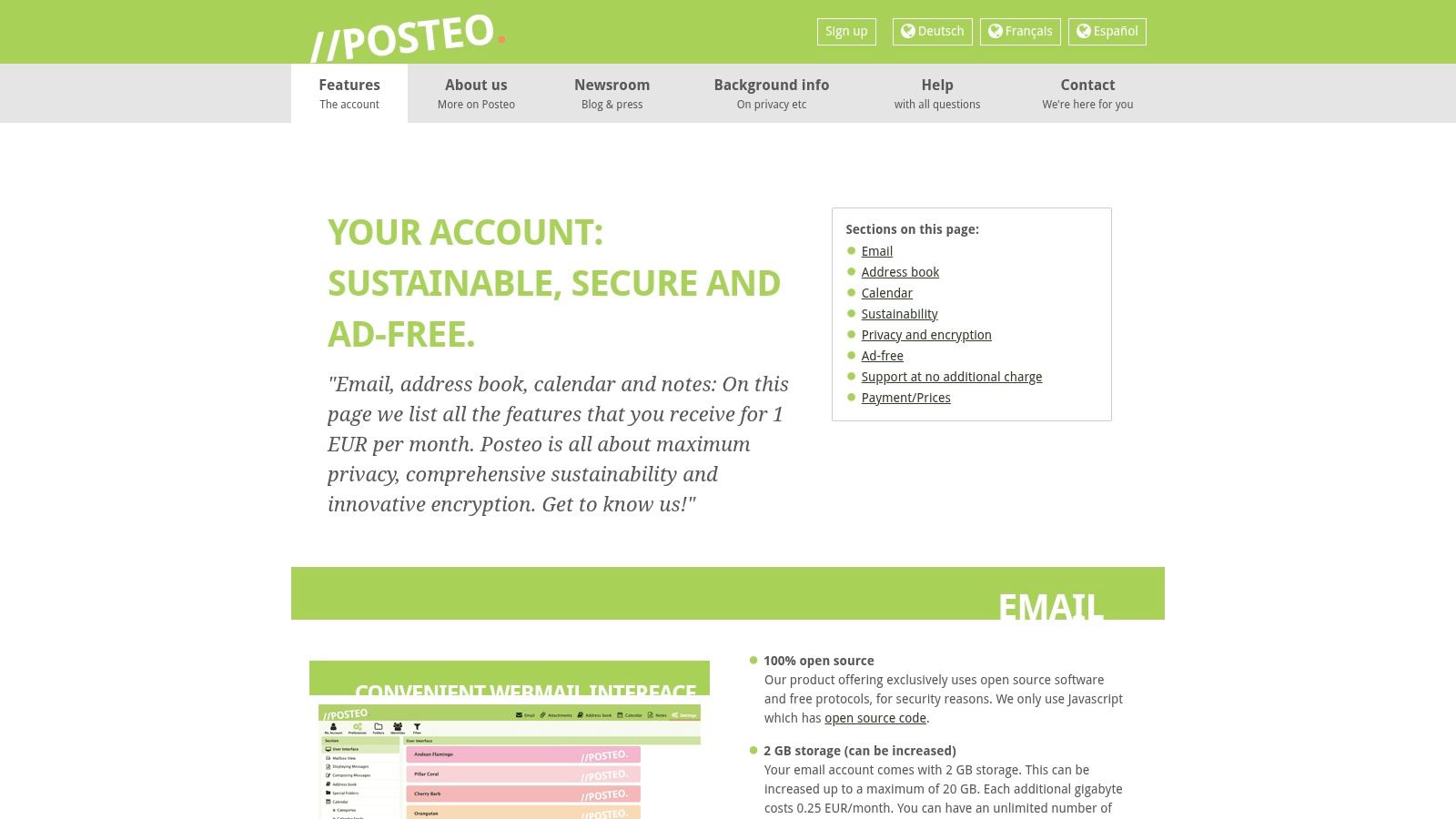
| Base Account | 2 GB storage, 2 aliases, calendar and address book, ad-free. | €1 per month |
| Storage Add-on | Add storage in 1 GB increments up to 20 GB total. | €0.25 per GB/month |
| Alias Add-on | Add up to 20 additional aliases. | €0.10 per alias/month |
| Calendar Add-on | Add up to 10 additional calendars. | €0.10 per calendar/month |
Pro-Tip: Posteo’s à-la-carte pricing model allows you to build a plan that fits your exact needs without paying for bundled features you won’t use. You can pay for multiple months or a full year in advance.
Website: https://posteo.de/en/site/features
6. Fastmail
Fastmail stands out as a privacy-respecting email provider that prioritizes user experience, speed, and powerful features over default end-to-end encryption. As an independent, employee-owned company based in Australia, Fastmail’s business model is simple: you pay for a premium email service, and in return, they don’t scan your emails, show you ads, or mine your data. This makes it a compelling alternative for users who want to escape Big Tech surveillance without the potential complexities of zero-access encryption.
The platform’s greatest strength is its superb interoperability and flexibility. Unlike many encrypted services that work best within their own ecosystem, Fastmail is built on open standards like IMAP, SMTP, and JMAP. This allows you to easily use your favorite third-party email clients on any device, from Thunderbird on desktop to mobile apps, giving you full control over how you access your mail. This focus on reliability and standards makes it an excellent choice for professionals and businesses.
Key Security Features and Usability
While not end-to-end encrypted by default, Fastmail employs strong security measures to protect your data in transit and at rest. It relies on robust TLS encryption for all connections and strong server-side security protocols. Its usability is where it truly shines, with a polished, fast web interface and some of the best search functionality in the market, allowing you to find any email in seconds.
- Masked Email: Create unique, disposable email aliases on the fly to sign up for services without revealing your primary address. This helps protect you from spam and data breaches.
- Custom Domain Support: Easily use your own domain name for a professional and personalized email address.
- Robust Protocol Support: Full support for IMAP, SMTP, and the modern JMAP protocol ensures seamless integration with virtually any email client.
- Phishing and Spam Protection: Advanced filtering and security checks help keep your inbox clean and protect you from malicious attacks.
Fastmail’s interface is clean and highly customizable, and its migration tools make it incredibly easy to import your entire email history, contacts, and calendars from services like Gmail. For enhanced security, Fastmail offers robust two-factor authentication options, including support for hardware security keys like YubiKey.
Plans and Pricing
Fastmail does not offer a free plan, aligning with its philosophy that quality, private services require direct user support. Its pricing is transparent and offered in local currencies.
| Plan Tier | Key Features | Best For |
|---|---|---|
| Basic | 2 GB storage per user, custom domains, Masked Email aliases. | Individuals with basic email needs. |
| Standard | 30 GB storage per user, 600+ aliases per user, custom domains. | Professionals and power users. |
| Professional | 100 GB storage per user, email retention archives, admin controls. | Businesses and teams requiring advanced features. |
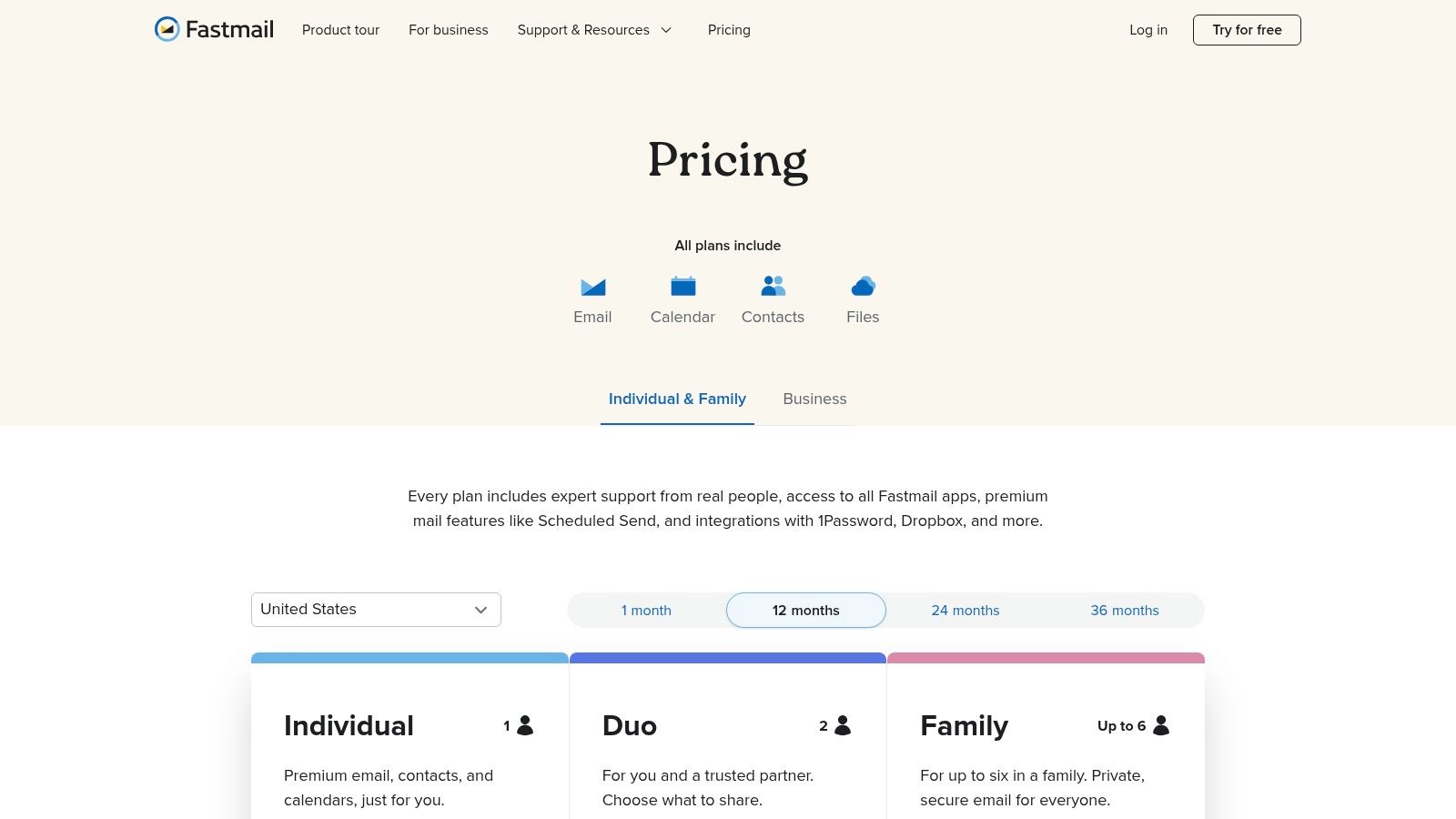
Pro-Tip: Fastmail offers Duo and Family plans that provide a discount for multiple users under a single account. This is a cost-effective way to get private email for your entire household while sharing calendars and contacts.
Website: https://www.fastmail.com/pricing/us/
7. Mailfence
Mailfence is a comprehensive secure email suite that successfully blends privacy with collaboration. Based in Belgium, it operates under strong privacy laws (GDPR) and is not subject to US surveillance directives. This provider focuses on offering a full suite of productivity tools, including calendars, contacts, document storage, and group management, all protected by robust OpenPGP-based end-to-end encryption. This makes it a strong contender for users who need more than just a secure inbox.
What sets Mailfence apart is its integrated approach to encrypted collaboration. It’s not just an email service; it’s a private alternative to Google Workspace or Microsoft 365. Users can create secure groups to share mailboxes, calendars, and documents with family or team members. The platform’s commitment to standards-based encryption means you are not locked into their ecosystem, providing interoperability with other PGP users.
Key Security Features and Usability
Mailfence provides a full-featured web interface with integrated OpenPGP key management, which simplifies the process of sending encrypted emails. You can generate, import, and manage your PGP keys directly within the email client, making it one of the more accessible implementations for new users. For business or family use, the administrative console allows for easy user management.
- End-to-End Encryption: Uses the open-source and widely trusted OpenPGP standard for encrypting emails and attachments.
- Digital Signatures: Provides a way to digitally sign your emails, which proves to the recipient that the email comes from you and has not been tampered with.
- Integrated Collaboration Suite: Features include a secure calendar, contact management, document storage (Mailfence Documents), and group collaboration tools.
- No Tracking or Ads: Mailfence is funded by user subscriptions, not advertising, ensuring your data is never scanned or sold.
The user interface is functional and straightforward, though perhaps less modern than some competitors. It prioritizes utility over aesthetics, providing clear access to its powerful suite of tools. The service also supports two-factor authentication for an added layer of account security.
Plans and Pricing
Mailfence offers a free plan with limited features and several paid tiers designed for individuals and businesses. A key point to note is that subscriptions are only available on an annual or longer basis, with significant discounts for multi-year commitments.
| Plan Tier | Key Features | Best For |
|---|---|---|
| Free | 500 MB email & 500 MB docs storage, limited support. | Individuals wanting to test the platform. |
| Entry | 5 GB email & 10 GB docs storage, 10 aliases, IMAP/POP3/SMTP. | Individuals needing core email features. |
| Pro | 20 GB email & 50 GB docs storage, 50 aliases, 1 custom domain. | Professionals and businesses. |
Pro-Tip: Mailfence offers substantial discounts for paying for 2, 3, 5, or even 10 years in advance. If you're confident it's the right service for you, these long-term plans offer excellent value.
Website: https://www2.mailfence.com/en/
Privacy Features Comparison of Top 7 Email Providers
| Email Service | Implementation Complexity  |
Resource Requirements  |
Expected Outcomes  |
Ideal Use Cases  |
Key Advantages  |
|---|---|---|---|---|---|
| Typewire | Moderate – private data centers, custom domains | Moderate – hosted on private Canadian data centers | High privacy, no ads/tracking, advanced spam protection | Privacy-conscious users and teams needing control | Full data control, no ads, advanced anti-spam filters |
| Proton Mail | Moderate – end-to-end encryption, broad ecosystem | Moderate – open-source apps, multiple bundled services | Strong privacy and encryption in a large ecosystem | Users wanting comprehensive privacy tools | Open-source, Swiss jurisdiction, privacy suite |
| Tuta | High – full end-to-end encryption, no IMAP/POP | Moderate – hosted in Germany with encrypted mailboxes | Maximum built-in encryption, strong privacy posture | Users needing zero-knowledge encryption | Full mailbox encryption, renewable energy focus |
| StartMail | Moderate – PGP encryption, IMAP/webmail workflows | Low to moderate – self-hosted servers in Netherlands | Easy encryption with familiar workflows | Users wanting strong privacy with classic email | One-click PGP, Bitcoin payment option |
| Posteo | Low – simple plan, no custom domains | Low – hosted in Germany, anonymous signup/payment | Affordable privacy email, sustainable and anonymous options | Budget-conscious privacy users | Very affordable, anonymous signup, sustainable focus |
| Fastmail | Low to moderate – standard protocols, no E2E encryption | Low – independent hosting, supports standard protocols | Reliable private email without end-to-end encryption | Users seeking privacy with standard mail features | No ads/tracking, excellent search, multi-user plans |
| Mailfence | Moderate – OpenPGP, collaboration tools | Moderate – Belgium-hosted with admin controls | Secure email combined with team collaboration | Families and teams needing encrypted collaboration | Strong PGP, group tools, long-term discounts |
Choosing Your Digital Fortress: Final Thoughts on Email Privacy
Navigating the landscape of secure communication can feel complex, but the journey to reclaim your digital privacy is a crucial one. We've explored some of the most robust options available, moving far beyond the data-hungry models of mainstream providers. Each service we've detailed offers a unique fortress for your information, built on principles of encryption, user sovereignty, and a fundamental respect for privacy.
From the comprehensive, ecosystem-driven approach of Proton and Tuta to the privacy-first ethos of European providers like Posteo and Mailfence, the common thread is a commitment to protecting your most sensitive conversations. StartMail offers a unique blend of PGP integration and disposable aliases, while Fastmail demonstrates that a feature-rich, user-friendly experience doesn't have to come at the cost of your privacy. The search for the best email provider for privacy ultimately leads to a personal decision, one that hinges on your specific needs and priorities.
Making the Right Choice for Your Threat Model
Your ideal provider depends entirely on what you're trying to protect and from whom. A journalist communicating with sensitive sources has a different threat model than a small business owner protecting client data or an individual simply trying to escape invasive advertising.
To make an informed decision, consider these final factors:
- Encryption Implementation: Do you need automatic end-to-end encryption for all communications (like Tuta), or is PGP integration more suitable for your workflow (like Proton or Mailfence)? Consider how easily you can communicate with users outside your chosen provider's ecosystem.
- Jurisdiction and Legal Protection: The legal framework of a provider's home country matters. Switzerland (Proton, Typewire) and Germany (Tuta, Posteo) have strong privacy laws, offering a layer of legal protection that providers based in Five Eyes countries may not.
- Feature Set vs. Simplicity: Do you require a full suite of tools, including calendars, cloud storage, and VPNs? Or is a streamlined, email-focused service that excels at its core function a better fit? A minimalist provider like Posteo might be perfect for some, while others will benefit from Proton's all-in-one encrypted suite.
- Anonymity and Payment: If true anonymity is your goal, look for providers that accept anonymous payment methods like cryptocurrency or cash payments, a feature offered by services like Tuta and Posteo.
The Power of Owning Your Data
The most significant takeaway is the fundamental shift in ownership. Moving from a "free" email service where you are the product to a premium, private provider means you are the customer. This changes everything. Your data is no longer a commodity to be scanned, analyzed, and sold to the highest bidder. Instead, your subscription fee pays for the service itself, aligning the provider's business model with your privacy interests.
This is where a provider like Typewire truly distinguishes itself. By building and managing its own infrastructure in Switzerland, it takes data sovereignty to the next level. This commitment ensures that your data isn't just legally protected by strong privacy laws but is also physically secured on hardware controlled exclusively by the company you trust. For users who value a direct, transparent relationship with their provider and want zero ambiguity about where their data lives, this is a powerful differentiator.
Choosing any of the providers on this list is a significant step toward a more secure digital life. You are actively choosing to build your communications on a foundation of privacy and security. This isn't just about finding a new inbox; it's about making a conscious decision to protect your fundamental right to private conversation in an increasingly monitored world.
Ready to experience a truly private and sovereign email service built on its own secure infrastructure? Typewire offers a premium, ad-free email experience hosted exclusively in Switzerland, ensuring your data remains yours and yours alone. Take control of your digital communications by visiting Typewire to learn more and secure your account today.
The post Top 7 Best Email Providers for Privacy in 2025 | Secure Your Inbox appeared first on Typewire.
Top 7 Best Email Providers for Privacy in 2025 | Secure Your Inbox
Posted: 2025-08-24
What Is Spear Phishing and Why Targeted Attacks Hit Harder
Posted: 2026-10-16
What Is Smishing and How to Avoid SMS Phishing
Posted: 2026-10-13
How to Whitelist an Email Address (So You Stop Missing Messages)
Posted: 2026-10-06
Email Bounce Explained: Soft vs Hard Bounces & How to Fix Them
Posted: 2026-10-02
Which Secure Email Provider Fits Your Workflow? 10 Options by Use Case
Posted: 2026-09-29
Personal Data Privacy: Why Your Email Is the Master Key to Your Digital Life
Posted: 2026-09-24
Secure Email Gateway Guide: Do You Need One?
Posted: 2026-09-23
Average Email Deliverability Rate: 2026 Benchmarks
Posted: 2026-09-18